As of: 23 September 2026 · Reading time: 4 min
Key takeaways
- > ID: 282 > Title: Remove old software: Checklist for decision-makers > Keyword: Remove old software > month: June > Year: 2026 > File name: 282 alte software abloesen 06 b
> ID: 282 > Title: Remove old software: Checklist for decision-makers > Keyword: Remove old software > month: June > Year: 2026 > File name: 282 alte software abloesen 06 b
“Good software is not an accident—it comes from a structured development process with clear quality standards.”
– Björn Groenewold, Managing Director, Groenewold IT Solutions
Delete old software: The ultimate checklist for decision-makers
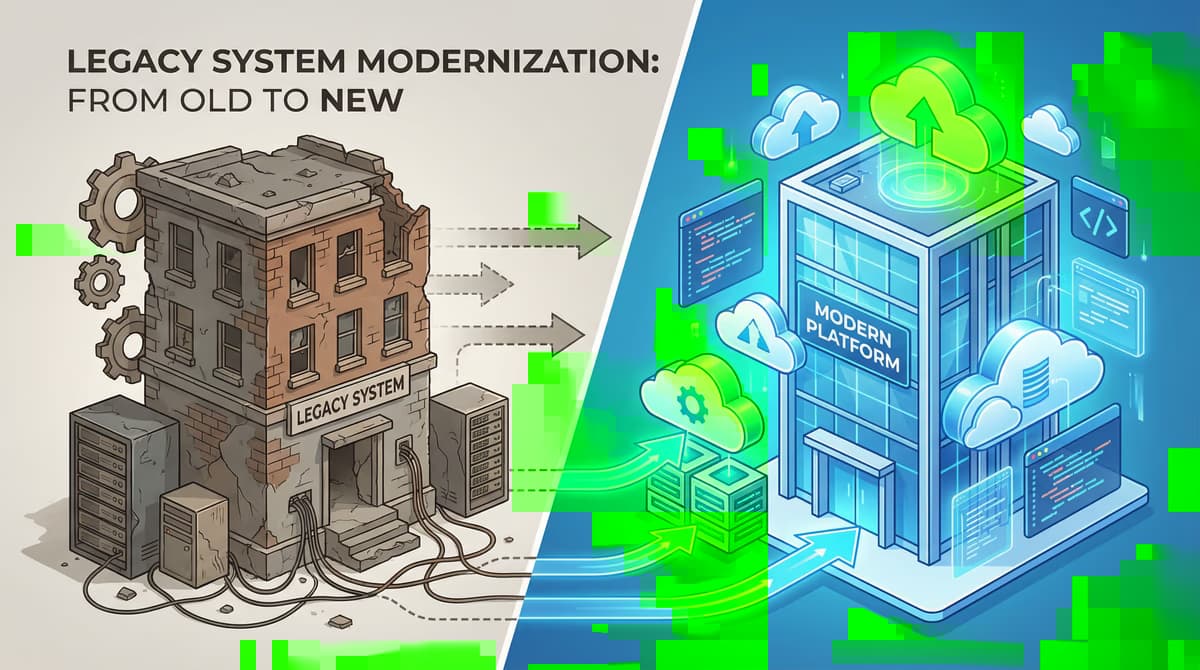
In today's fast-paced business world, outdated software is not only annoying, but a real business risk.
It slows down processes, frustrates employees and can seriously jeopardize your company's market strength. But the step to dissolving old software is often associated with uncertainties and complex decisions.
How do you strategically address this project? What steps are needed to ensure a smooth transition and to benefit from your new IT landscape?
This article offers you a complete checklist and valuable insights to successfully master the modernization of your software.
Why the detachment of old software is not a luxury, but a necessity
Replacing outdated software reduces operational and security risks. A structured inventory, migration plan, data validation and phased rollout make the transition controllable for leaders.
For Remove old software: The ultimate checklist for leaders, see View services und Discover solutions on our website for rollout paths and planning.
Outdated systems, often referred to as legacy software, can become loads in a variety of ways.
The most obvious disadvantages are performance problems and lack of compatibility with modern technologies. But the risks go far beyond that.
The hidden costs of legacy systems
- High maintenance costs: Care of outdated systems often requires expert knowledge that is becoming more often rare and correspondingly expensive.
- Safety risks: Old software is often no longer supplied with security updates, which makes it a light target for cyber attacks.
- Slower productivity: Slow and cumbersome systems frustrate not only your employees, but also lead to inefficient workflows.
- Fine scalability: Legacy systems can often not keep up with the growth of your company and thus block future business options.
- Compliance problems: In many industries there are strict regulatory needs, which often cannot be met by outdated software.
Checklist: In 7 steps to the new software solution
Short: A structured approach is the key to success if you replace old software .
A structured approach is the key to success if you replace old software. The following checklist helps you plan and implement the process step by step.
1. inventory and analysis
- Inventory: Record all software solutions used in the company.
- Review: Analyze They shall apply to their features, stability, costs and their contribution to business success.
- Identifying points: Where exactly are the problems with the old software? Please include the end users.
2. Requirements definition
- Should define: What features and properties must the new software have?
- Include stakeholders: Collect the needs a.
References and further reading
The following separate references complement the topics in this article:
- Bitkom – German digital industry association.
- German Federal Office for Information Security (BSI).
- European Commission – Digital strategy.
- MDN Web Docs (Mozilla)
- W3C – World Wide Web Consortium.
"APIs are the backbone of modern systems; stabilise contracts early or pay twice in integration work later."
— Björn Groenewold, Managing Director, Groenewold IT Solutions
Frequently Asked Questions (FAQ)
What is this article about: “Remove old software: The ultimate checklist for decision-makers”?
This post explores replacing outdated software from the perspective of needs, typical pitfalls and sensible next steps.
In short: inventory the legacy landscape, prioritise risks and migrate in controlled phases.
Who benefits most from the content described here?
Useful for project leads and product owners in Software development who must choose between standard software, custom development, and integration.
How does this topic fit into an IT or digital strategy?
Technically and organizationally, alignment with experienced partners pays off — from requirements to operations; start with the [services overview](/en/services/software-development). For multi-system landscapes, [IT consulting and architecture](/en/services/it-consulting) helps align vendors and internal teams.
What are sensible next steps if we need support?
A practical next step: book a consultation and clarify which MVP or pilot fits your team and landscape.
About the author

Managing Director of Groenewold IT Solutions GmbH and Hyperspace GmbH
Since 2009 Björn Groenewold has been developing software solutions for the mid-market. He is Managing Director of Groenewold IT Solutions GmbH (founded 2010) and Hyperspace GmbH. As founder of Groenewold IT Solutions he has successfully supported more than 250 projects – from legacy modernisation to AI integration.
Blog recommendations
Related articles
These posts might also interest you.

Digitization in the middle class: How to measure your success
Digitization is no longer a trend for medium-sized enterprises, but a need to remain competitive. But how to measure the success of Digitalisie...
Digital Transformation: Leadership and Change Management as key to success
Digital transformation is more than just the introduction of new technologies. It is a profound change process that affects companies of all sizes. Especially for small and...
Digital Transformation: The Power of Partnerships and Ecosystems
Digital transformation is no longer an option for small and medium-sized enterprises (SMEs), but a need to remain competitive. But the way to the digital future...
Free download
Checklist: 10 questions before software development
Key points before you start: budget, timeline, and requirements.
Get the checklist in a consultationRelevant next steps
Related services & solutions
Based on this article's topic, these pages are often the most useful next steps.
Related services
Related solutions
Practical next steps after Remove old software: The ultimate checklist for decision-makers
Remove old software: The ultimate checklist for decision-makers addresses a practical choice for product and IT teams. Start with one clear goal: align software scope, technical risk, and business value before the next investment.
Check the current process, the data involved, and the result users need. Then record the main risks and define a small first step. This keeps the decision easy to review and gives your team a shared basis.
For implementation support, our custom software development connects the article's guidance with architecture, delivery, and stable operations. Engineering and project ownership stay with our team in Leer, Germany.
This post belongs to Software development. Browse the related Software development articles or use the English software blog for other topics.
When budget is the next question, the software cost calculators provide planning ranges. The IT glossary explains key terms, while in-depth technology guides cover wider decisions.
If the topic affects a live project, book a technical consultation or send the context through our project contact form. We usually reply within one working day.