As of: 23 September 2026 · Reading time: 7 min
Key takeaways
- What it really does, where the boundaries lie and what processes in mid-sized businesses deliver the highest ROI – with concrete figures and practical examples.
RPA promises a lot. What it really does, where the boundaries lie and what processes in mid-sized businesses deliver the highest ROI – with concrete figures and practical examples.
“Digitalization is not an IT project—it is a business strategy.”
– Björn Groenewold, Managing Director, Groenewold IT Solutions
Process automation in mid-sized businesses: Where RPA really saves
Robotic Process Automation (RPA) has been the most widely discussed automation topic in German mid-sized firms for years.
The promises of the providers are ambitious: 60–80 % time savings, error rates close to zero, ROI in six months. Practice is more differentiated.
RPA works excellently for the right processes. For the wrong, it is waste of money with high maintenance costs. This article helps to recognize the difference.
What RPA is – and what is not
RPA promises a lot.
What it really does, where the boundaries lie and what processes in mid-sized firms deliver the highest ROI – with concrete figures and practical examples.
If you are planning to process automation in mid-sized firms: Where RPA really saves from idea to rollout, you will find IT- & digital consulting, cost calculator: automation, digitalization in mid-sized businesses and ROI-computer: RPA suitable entry points on our website.
RPA (Robotic Process Automation) are software bots that imitate UI actions of a human user. Fill fields, run clicks, copy data, download reports.
The bot acts on the surface – like a person in front of the screen, only faster, round the clock and without fatigue.
What RPA is not:
- No AI (in the Basi variant): RPA performs exactly defined steps, no reasoning.
- No API replacement: Where an API exists, direct integration is almost always better.
- No solution for bad processes: a bad process, automated, is still bad – just faster.
- No continuous solution without maintenance: Changes the surface, breaks the bot.
Variants:
- RPA (Classic): Rule-based, UI-based, no AI.
- Smart Automation / IPA: RPA + AI components (OCR, NLP) for semi-structured inputs.
- Hyperautomation: RPA + AI + process review + orchestration for end-to-end automation.
The Golden Rules: When RPA works
RPA delivers the highest ROI in processes that have these properties:
Regular and stable: The steps are clearly defined and rarely change. The more exceptions and special cases, the more maintenance effort.
High volume, low complexity: Many repetitions make automation economical. A process that occurs 10 times a week is different from one with 500 daily cases.
Digital inputs: RPA works best with digital data. Paper documents need OCR (Smart Automation).
This increases complexity and error risk. .Stable systems: If the underlying applications frequently change (new UI version every two months), the bot breaks regularly.
Stable legacy systems are often better RPA candidates than agile SaaS solutions.
No critical judgment required: Where people also decide in 95% of cases according to rules, RPA can run autonomously. The remaining 5% are escalated.
The best RPA applications in mid-sized businesses
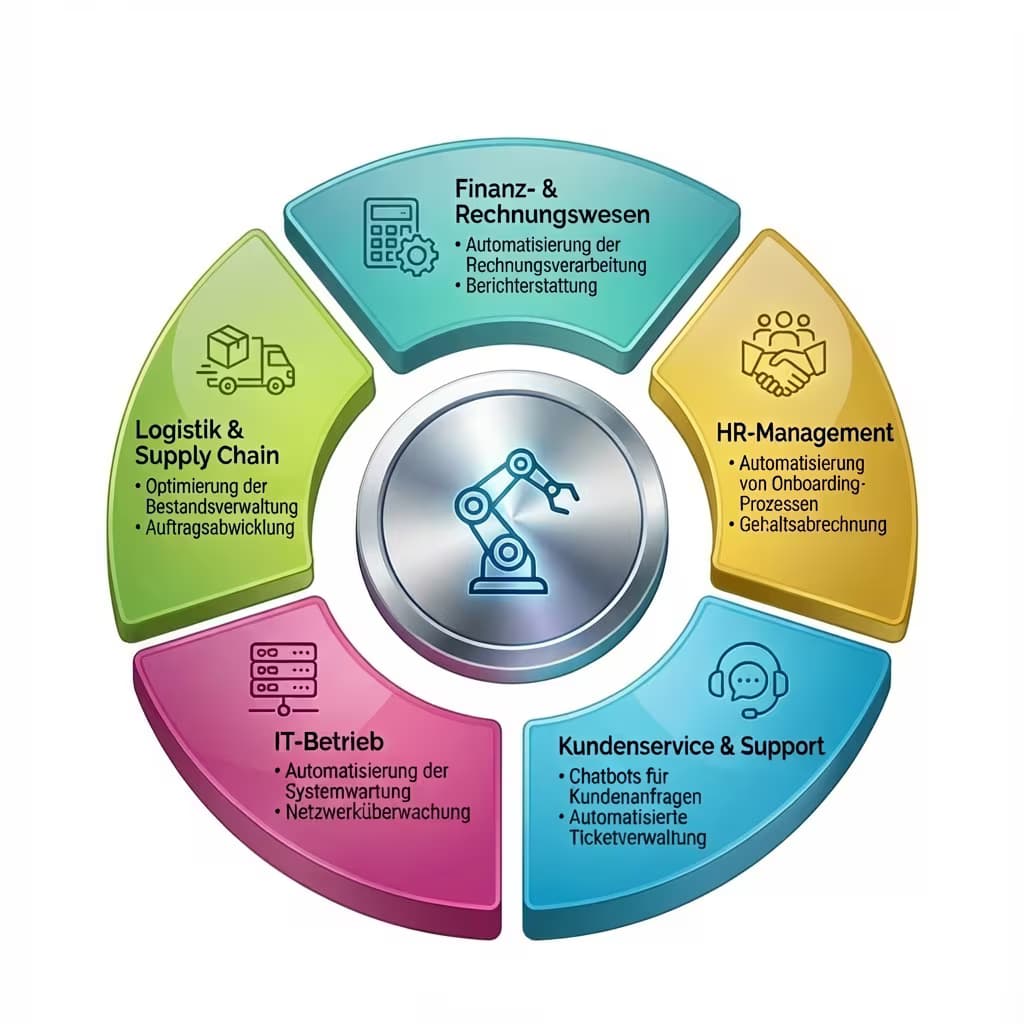
Bookkeeping and financial processes are the most common entry:
- Invoicing Processing: Extract data from PDF/E-mail, book in ERP, initiate release workflow.
- Mahnwesen: Find overdue receivables, generate reminders, ship, document status.
- Account tuning: Compare bank statements with bookings, flag differences.
- Monthly financial statements: draw, consolidate, send reports to management.
Typical ROI: 40–70 % time saving in the billing process. For 200 invoices/month and 15 minutes manual processing time: 50 hours/month saved.
HR and Human Resources:
- Onboarding: Create new employees in all relevant systems (ERP, Active Directory, HR System, Access System).
- Absence management: process holiday requests, update systems, send confirmations.
- Settlement: Transfer data from time recording system to billing system.
Sales and supply chain management:
- Order triggering if stocks are not exceeded.
- Collect price queries from suppliers, offers in comparison table.
- Track order confirmations, report deviations.
Customer service and master data maintenance:
- Transfer address changes from one system to all others.
- Update request status in multiple systems.
- Automatically generate and send routine reports to customers.
IT operation:
- User revision and deployment
- backup monitoring and status reports.
- routine server checks and reports.
ROI calculation: Specifically calculate
Before starting an RPA project, the ROI should be on paper. Here is a simple calculation model:
Step 1: Recording current expenditure
- Process: Input invoice processing
- Volume: 300 invoices/month
- Time per invoice: 12 minutes.
- Monthly effort: 60 hours
- Full cost approach: 45 €/hour → 2.700 €/month.
Step 2: Expected time savings
- Automation rate: 70% (30% exceptions still manual).
- Save: 42 hours/month → 1.890 €/month.
Step 3: Project costs
- Development: 20,000 €
- Current license costs: 500 €/month.
- Maintenance: 200 €/month
ROI calculation:
- Monthly savings: 1.890 €
- Monthly costs: 700 €
- Net savings: 1.190 €/month
- Amortization: ~17 months This is a realistic example. Not all RPA projects are better. For properly selected processes with a high volume, the ROI can enter significantly faster.
Frequent errors and how to avoid them
Short: False processes selected.
False processes selected. Complex, resource-intensive processes overwrite RPA. Before the start: accurately analyze process, estimate exception percentage.
No Process Owner defined. RPA bots need someone who responds to errors, edits exceptions and coordinates changes. Without Process Owner, the bot degenerates to the problem child.
Process not improved before automation. Inefficient manual processes are not better by automation – just faster. Process optimization comes from automation.
Maintenance underestimated. If the automated application changes (new UI, new fields), the bot will take into account maintenance costs in the business plan.
No error treatment introduced. What happens if the bot meets a situation that is not provided in the script? Without fault treatment: silent fault or blockage.
RPA vs. Custom software integration: What is better?
If the target system has a good API, a direct interface development is almost always better than RPA:
- Stable (no UI break with updates).
- Faster (no screen screening)
- maintenance poorer
- Cost-effective in licensing
RPA is then the better choice if no API exists (legacy systems), the development of integration would be too expensive (short-term need) or no developer capacities are available.
The detailed comparison can be found in the article RPA vs. Custom Software: What matches which automation project.
Conclusion
RPA in mid-sized firms is not a hype – it is a proven tool for the right applications.
If you have high volumes, controlled processes and stable systems, RPA can save considerable manual effort.
If you are using RPA on complex, resource-intensive or API-enabled processes, maintenance costs are generated instead of savings.
Our team analyzes your processes and recommends where automatization delivers the best return with RPA, AI agents or direct integration – without provider bias.
Frequently Asked Questions (FAQ)
Which RPA platforms are recommended for mid-sized businesses?
UiPath, Automation Anywhere and Microsoft Power Automate are the market leaders. Power Automate is often the easiest entry for Microsoft-365 users.
UiPath and Automation Anywhere offer more functions for more complex scenarios.
Do we need our own RPA developers?
For simple processes with low-code tools: no. For complex automations with error handling, exception management and monitoring: yes or an external partner.
What does an RPA license cost?
Depending on the provider and model: € 5,000–25,000 per process/year for enterprise licenses. Power Automate is cheaper in the Microsoft-365 bundle.
Open source alternatives (n8n, automatic) for simple scenarios without license costs possible.
Is RPA safe in handling sensitive data?
With correct rollout yes. Credentials should never be hardcoded in the bot script (use credential vault). Leading access protocols of bot activities.
GDPR needs also apply to bot-processed data.
Technical sources and further links
The following separate references complement the grouping on the topics of this Article:
- Bitkom – Digital Economy Association.
- BSI – Federal Office for Information Security.
- European Commission – Digital Strategy.
- MDN Web Docs (Mozilla)
- W3C – World Wide Web Consortium.
"The migration of legacy systems fails in many projects not on the technology alone.
However, on the lack of documentation of implicit expertise – that is why Knowledge Transfer is firmly on the budget."
— *Björn Groenewold, Managing Director, Groenewold IT Solutions *
About the author

Managing Director of Groenewold IT Solutions GmbH and Hyperspace GmbH
Since 2009 Björn Groenewold has been developing software solutions for the mid-market. He is Managing Director of Groenewold IT Solutions GmbH (founded 2010) and Hyperspace GmbH. As founder of Groenewold IT Solutions he has successfully supported more than 250 projects – from legacy modernisation to AI integration.
Blog recommendations
Related articles
These posts might also interest you.
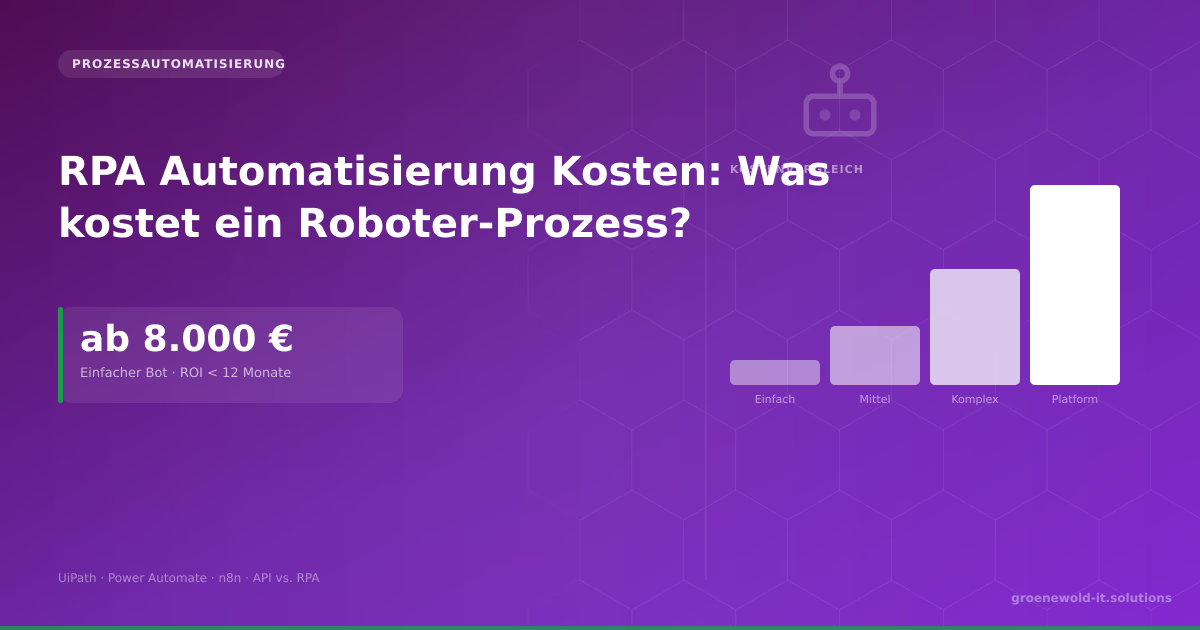
RPA Automation Costs: What Does a Robotic Process Cost for Mid-Sized Businesses?
A simple RPA tray costs 8,000 to 20,000 €. This article shows cost drivers, ROI calculation, comparison RPA vs. API integration and when automation is really worth it.

RPA vs. Custom Software: Which Approach Fits Your Automation Project?
RPA or customized software integration? Both can automate processes – but with very different costs, risks and long-term implications. A decision-making aid for SMEs.

Automating ERP Processes: Where the Biggest Lever Is
ERP systems such as SAP, Navision or Odoo bundle the central business processes – and at the same time are the source of many manual routine activities. Which ERP processes can be automated best, how…
Free download
Checklist: 10 questions before software development
Key points before you start: budget, timeline, and requirements.
Get the checklist in a consultationRelevant next steps
Related services & solutions
Based on this article's topic, these pages are often the most useful next steps.
Related services
Related solutions
Cost calculators
Practical next steps after Process Automation in Mid-Sized Businesses: Where RPA Really Saves Money
Process Automation in Mid-Sized Businesses: Where RPA Really Saves Money addresses a practical choice for banks and financial services teams. Start with one clear goal: align software scope, technical risk, and business value before the next investment.
Check the current process, the data involved, and the result users need. Then record the main risks and define a small first step. This keeps the decision easy to review and gives your team a shared basis.
For implementation support, our custom software development connects the article's guidance with architecture, delivery, and stable operations. Engineering and project ownership stay with our team in Leer, Germany.
This post belongs to Automatisierung. Browse the related Automatisierung articles or use the English software blog for other topics.
When budget is the next question, the software cost calculators provide planning ranges. The IT glossary explains key terms, while in-depth technology guides cover wider decisions.
If the topic affects a live project, book a technical consultation or send the context through our project contact form. We usually reply within one working day.