As of: 23 September 2026 · Reading time: 6 min
Key takeaways
- RPA or customized software integration?
- Both can automate processes – but with very different costs, risks and long-term implications.
- A decision-making aid for SMEs.
RPA or customized software integration? Both can automate processes – but with very different costs, risks and long-term implications. A decision-making aid for SMEs.
“Digitalization is not an IT project—it is a business strategy.”
– Björn Groenewold, Managing Director, Groenewold IT Solutions
RPA or Custom Software? In automation projects, this question arises sooner or later – and the answer has considerable effects for costs, maintenance and long-term stability.
This contribution makes the comparison concrete, with decision criteria, cost comparisons and examples from practice.
Two fundamentally different approaches
RPA or customized software integration?
For RPA vs. Custom Software. This Approach Fits Your Automation Project? , App Development and Cost Calculator. App Development are practical starting points.
Budget and industry context: Mobile & Web Development.
RPA (Robotic Process Automation) automates processes by using software bots to the user interface – just like a human. However, automatically.
The bot clicks, reads, writes and navigates through applications.
Custom Software / API Integration automates processes through direct programming.
Systems are connected to each other via APIs (interfaces), data is exchanged directly without the reroute via the UI. The developer explicitly programes logic.
The core difference: RPA works on the surface. Custom software works under the surface.
Strengths and weaknesses in direct comparison
| Criterion | RPA | Custom Software / API Integration |
|---|---|---|
| Rollout speed | Fast (weeks) | Medium to slow (weeks to months) |
| Development costs | Low–medium | High |
| Licensing costs running | High (RPA platform) | Low (own-built) |
| Maintenance expenditure | High (UI changes break bots) | Low–Means (API changes less) |
| Stability | Average (depending on UI stability) | High |
| Performance | Slow (UI Simulation) | Fast (Direct Communication) |
| Complex logic | Limited | Flexible |
| Without API (Legacy) | Good suited | Hard or impossible |
| Scalability | Limited (Bot licenses) | High |
| Error handling | Amenient to implement | Fully controllable |
When RPA is the right choice
Short: No API access to the target system.
No API access to the target system. This is the main argument for RPA.
If a legacy system does not have an API and does not get an API in the foreseeable time, RPA is often the only option for automation without complete legacy resolution. .Short-term demand. If a process is replaced by a new system in six months, no complex integration is worthwhile.
RPA as a transition solution is legitimate here – as long as this is explicitly planned.
No development budget, low-code resources available. RPA platforms such as Microsoft Power Automate enable automation by professional users without deep programming knowledge.
If the personnel situation prefers low code, this is a valid argument.
Process runs over multiple systems without common API.
If three systems have to play together, two of which do not have an API, RPA is more flexible than an elaborate integration architecture.
When Custom Software / API Integration is Better
Short: Target system has a stable API.
Target system has a stable API. Direct integration, significantly more stable, more manageable and more powerful.
Almost always recommended if an API exists. interface development initially costs more, but pays off quickly.
High volumes. RPA can process thousands of transactions daily – but slow and with a lot of UI overhead.
API integrations are faster by orders of magnitude and scale easily.
Long-term solution. For processes to remain permanently automated, the maintenance stability of an API integration is a decisive advantage.
RPA trays that break during any software update will become a maintenance load.
Complex business logic. If the automation logic is complex (many conditions, exceptional treatment, rollback for errors), Custom Software is significantly more powerful and testable than RPA scripts.
Other software is being built. If individual software is developed, integrations can be planned from the outset – more efficient and more stable than subsequent RPA bridges.
Cost comparison over 3 years
For an exemplary process (200 transactions/day, moderate complexity):
RPA solution:
- Rollout: 15,000 €
- RPA license: 8,000 €/year
- Maintenance (customize trays for UI changes): 4,000 €/year.
- 3-year total cost: approx. 51,000 € API Integration / Custom Software:
- Development: 35,000 €
- Hosting costs: 1,200 €/year
- Maintenance: 2,000 €/year
- 3-year total cost: approx. 44,600 €.
In this example, API integration is cheaper after 3 years – despite significantly higher initial investment. The break-even is about 18 months.
With higher volume or higher RPA license costs, the break-even shifts earlier. With very low volume and good low-code access, RPA can remain cheaper.
The hybrid approach: combine RPA and API integration
In practice, the decision is often not either/or. Useful combination:
- RPA as a bridge for legacy systems without API that will be replaced in the medium term.
- API integration for all systems with available interface.
- AI components (IPA) for processes with unstructured inputs (documents, emails).
This architecture separates stable integrations (API) from fragile (RPA) and reduces maintenance effort to the minimum.
decision tree: Fast orientation
- Does the target system prefer a stable, recorded API? Yes → API integration. No → continue. Two. Is it a transition solution (< 12 months)? Yes → RPA is acceptable. No → continue.
- Is the volume very high (> 500 transactions/day)? Yes → API integration or hybrid approach. No → continue.
- Are low-code resources available, but no development budget? Yes → RPA (Power Automate or the like). No → continue.
- Is the business logic complex with many exceptions? Yes → Custom Software. No → RPA can work.
Conclusion
RPA vs. Custom Software is not an ideological question, but an optimization task.
Who judges the criteria – system access, volume, time horizon, complexity, budget – honestly comes to the right answer for the respective process.
In our Automatization Consulting we analyze your processes without provider bias and recommend the most economical combination – whether RPA, API integration, AI agent or custom software.
Frequently Asked Questions (FAQ)
Can we start with RPA and later switch to Custom Software?
Yes, that's a common pattern. RPA as a fast solution, custom software as a detachment when the process is stable and the volume has grown.
Important: Document process logic well from the start so that migration becomes easier.
What about Microsoft Power Machine – is the RPA or Custom Software?
Power Automate offers both a classic RPA mode (desktop flow for UI automation) and an API integration mode (cloud flow with connectors). The transitions are flowing.
How stable is RPA in practice?
Depending on the stability of automated applications. For SaaS solutions with frequent UI updates: low. With stable legacy systems that rarely change: high. Rule of thumb.
The more frequent applications are updated, the more maintenance effort in the RPA tray.
Can AI agents replace RPA?
Partly. AI agents can handle more flexible with variable inputs. For stable, clearly defined processes without structured API, classic RPA remains more efficient.
The combination (AI for Reasoning, RPA for execution) is an emerging approach.
Technical sources and further links
The following separate references complement the grouping on the topics of this Article:
- Bitkom – Digital Economy Association.
- BSI – Federal Office for Information Security.
- European Commission – Digital Strategy.
- MDN Web Docs (Mozilla)
- W3C – World Wide Web Consortium.
"ERP projects rarely fail at the software list, but at unclear process boundaries and lack of expertise in the project."
— *Björn Groenewold, Managing Director, Groenewold IT Solutions *
About the author

Managing Director of Groenewold IT Solutions GmbH and Hyperspace GmbH
Since 2009 Björn Groenewold has been developing software solutions for the mid-market. He is Managing Director of Groenewold IT Solutions GmbH (founded 2010) and Hyperspace GmbH. As founder of Groenewold IT Solutions he has successfully supported more than 250 projects – from legacy modernisation to AI integration.
Blog recommendations
Related articles
These posts might also interest you.
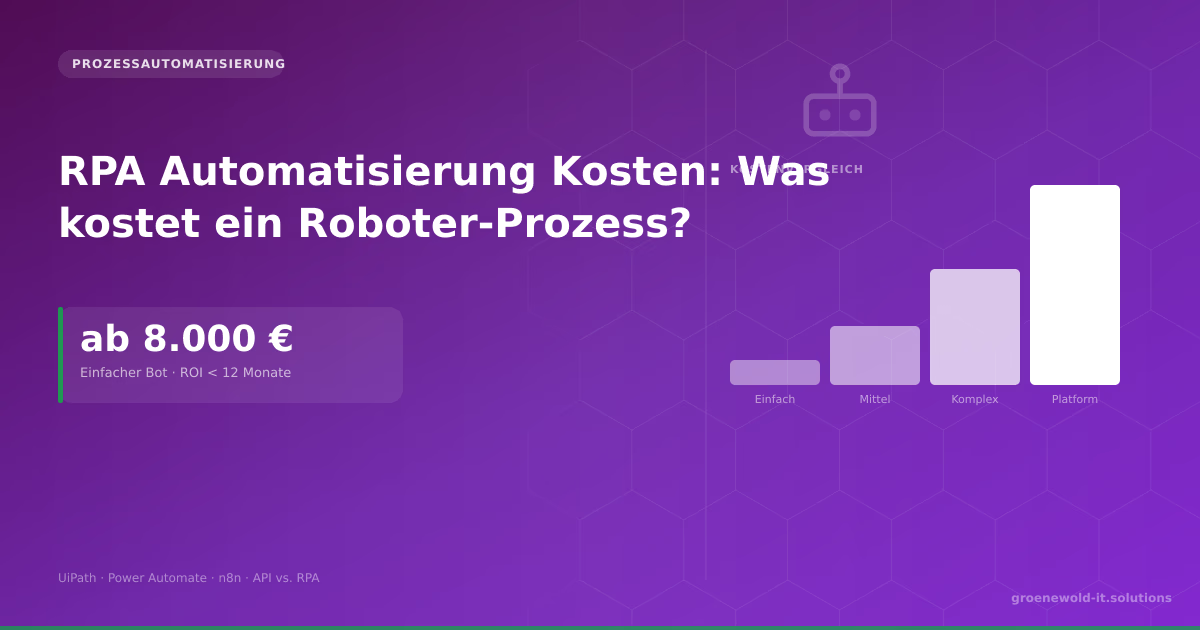
RPA Automation Costs: What Does a Robotic Process Cost for Mid-Sized Businesses?
A simple RPA tray costs 8,000 to 20,000 €. This article shows cost drivers, ROI calculation, comparison RPA vs. API integration and when automation is really worth it.

Process Automation in Mid-Sized Businesses: Where RPA Really Saves Money
RPA promises a lot. What it really does, where the boundaries lie and what processes in mid-sized businesses deliver the highest ROI – with concrete figures and practical examples.
Automating ERP Processes: Where the Biggest Lever Is
ERP systems such as SAP, Navision or Odoo bundle the central business processes – and at the same time are the source of many manual routine activities. Which ERP processes can be automated best, how…
Free download
Checklist: 10 questions before software development
Key points before you start: budget, timeline, and requirements.
Get the checklist in a consultationRelevant next steps
Related services & solutions
Based on this article's topic, these pages are often the most useful next steps.
Related solutions
Practical next steps after RPA vs. Custom Software: Which Approach Fits Your Automation Project?
RPA vs. Custom Software: Which Approach Fits Your Automation Project? addresses a practical choice for product and IT teams. Start with one clear goal: choose an app approach that stays secure, testable, and useful after launch.
Check the current process, the data involved, and the result users need. Then record the main risks and define a small first step. This keeps the decision easy to review and gives your team a shared basis.
For implementation support, our business app development connects the article's guidance with architecture, delivery, and stable operations. Engineering and project ownership stay with our team in Leer, Germany.
This post belongs to Automatisierung. Browse the related Automatisierung articles or use the English software blog for other topics.
When budget is the next question, the software cost calculators provide planning ranges. The IT glossary explains key terms, while in-depth technology guides cover wider decisions.
If the topic affects a live project, book a technical consultation or send the context through our project contact form. We usually reply within one working day.