
As of: 23 September 2026 · Reading time: 13 min
Key takeaways
- Manual processes automate with the right software solutions.
- Step-by-step guide, tool comparison and practical examples for the.
Manual processes automate with the right software solutions. Step-by-step guide, tool comparison and practical examples for the.
“Digitalization is not an IT project—it is a business strategy.”
– Björn Groenewold, Managing Director, Groenewold IT Solutions
Why automate manual processes? Advantages of process automation for mid-sized businesses
Manual processes automate with the right software solutions.
For Automate manual processes: Overview of software solutions, Legacy Modernisation and Cost Calculator: Legacy Modernisation are practical starting points. Budget and industry context: Solution: Legacy Reduction.
Process automation is the systematic transfer of manual, rule-based business processes into software-based processes that are carried out without human intervention.
It reduces friction losses, increases data accuracy and provides measurably more capacity in operational operation.
mid-sized firms is at the forefront of a special situation. Many SMEs have built IT landscapes for years in which island solutions exist side by side.
Interfaces are missing, data migrate via copy paste from system to system. And routine tasks bind qualified professionals. This is where workflow automation starts.
Increase efficiency and cost savings through automation
The efficiency gains due to automation are generated at two levels simultaneously. Speed and freedom of error. An automated process runs around the clock, without need for breaks.
And delivers consistent results regardless of daytime or workload.
Many companies report that they release major capacities through the automation of data entry, accounting and reporting.
The cost saving is not only due to fewer hours of staff. However, also due to lower error rates. Manual data entry is susceptible to errors.
And any correction costs time and sometimes also customer satisfaction.
knowledge: Automation not only reduces costs, but increases data quality fundamentally. Processes that were previously subject to correction rounds run with significantly higher accuracy after automation.
scalability is another decisive advantage: An automated process handles three times the volume without extra resources.
This is especially relevant for SMEs who need to manage seasonal peaks or fast growth.
Meet the skill shortage with workflow automation
The shortage of skilled workers is no longer an abstract threat.
Many midsize companies do not find qualified employees for tasks that should be done better by software anyway. Workflow automation does not solve this problem completely.
However, it clearly shifts the needs. .When a Digital Worker sends order confirmations, balances master data and generates reports, employees can focus on review, customer relationships and strategic decisions.
This makes places more attractive and reduces pressure to occupy purely operative positions.
Process Automation Examples: What processes can be automated?
The best candidates for process automation are tasks that are rule-based, repetiative and data-intensive.
Processes which depend on exceptions and human judgment are less suitable than the first step.

Applications from the SME everyday
Experience shows that the following areas offer the fastest Return on Investment:
- Calculation processing: Reading, checking, transferring to ERP and forwarding to release. This process can be fully automated in many companies.
- Data input and master data maintenance: New customer data from forms or emails automatically transferred to CRM and ERP without manual intermediate steps.
- Reporting and reporting: Automatically compile weekly or monthly reports from different sources and send them by email.
- Onboarding processes: New employees or customers perform automated workflows through checklists, provide accesses, request documents.
- Order and storage monitoring: Initiate reorders when defined thresholds are underestimated.
- Compliance documentation: Automatically create and archive test logs, releases and audit trails.
A common pattern in practice. The biggest time eaters are rarely the complex exceptions. However, the simple routine tasks that occur a hundred times a day.
This is where process automation is most effective.
Profi tip: Start with a process that runs at least three times a day and has less than three decision rules.
This combination delivers the fastest results with the lowest rollout effort.
Steps to process automation: How to proceed structured
Short: Structured steps for process automation prevent the greatest risk: automation of a faulty process.
Structured steps for process automation prevent the greatest risk: automation of a faulty process. If you automate an inefficient process, you only get faster inefficiency.
Total duration: 4-12 weeks depending on the scope of the process Process documentation: Process documentation, access to relevant systems, management support
Step 1: Identify and analyze suitable processes
Inventory: List all manual activities your team performs daily, weekly or monthly. Use time recording or short employee interviews.
Asssing degree of automation: Check for every process: How regular is it? How often does he appear? How high is the error expense in manual execution?
Set priorities: Start with processes that have high volume, clear rules and measurable error rates.
Create process: Create the actual state exactly. Any exception, any decision, any data source. Without this basis, any automation fails.
Define target state: Describe how the process should look after automation. What should be triggered, what should be the result?
A prioritized list of 3-5 automation candidates with clear process documentation.
Step 2: Select software solution and start pilot project
The selection of the right software decides whether the automation is scaled or stuck in the pilot.
According to Gartner's market overview for Business Process Automation, the market for Business Process Management and Automation Tools is growing significantly annually.
This makes the selection wider and more confusing.
Important selection criteria for SMEs:
- Integration capability with existing systems (ERP, CRM, e-mail).
- Needs for IT skills (low code vs. classical development).
- Data protection and GDPR compliance, especially in cloud solutions.
- License model and scaling costs.
- Support quality and documentation
Always start with a pilot project on a single, well recorded process. No rollout on a broad front without Proof of Concept.
Step 3: Rollout, Monitoring and Continuous Optimization
After successful pilot, the controlled rollout follows. This does not mean to roll out everything at once, but to expand gradually and to integrate monitoring from the start.
Define measurable KPIs before the go-live: transit time, error rate, manual interventions per 100 runs. Only what is measured can be improved.
Automated processes need regular review because business rules change, systems are updated and new exceptions occur.
Attention: The most common error in rollout is shutdown of manual fallback too early.
Keep the old process in parallel as an emergency option for at least four weeks until automation runs stable. .## Workflow Automation Tools.
Comparison of key software solutions for SMEs
The tool landscape for workflow automation is 2026 wider than ever. The problem. Many vendors promise "no-code". Simplicity, but quickly deliver to their limits for more complex needs.
Here is an honest overview.
RPA platforms, low code and no code tools compared
Robotic Process Automation (RPA) is the automation of processes at user interface level. Software bots imitate human clicks and inputs in existing applications.
This is especially useful if there are no API interfaces.
Low code and no-code platforms allow the creation of automation via visual surfaces with minimal programming effort.
They are well suited for clearly structured workflows between systems with API support.
Smart Automation combines RPA with AI and machine learning to process unstructured data (e.g. emails, documents).
This approach becomes more often relevant when processes need to make decisions based on variable inputs.
*Category | Example toolsStärken* | Evented for |
| RPA | UiPath, Automation Anywhere | Legacy systems without API | Complex UI interactions |
|---|---|---|---|
| Low-Code/No-Code | Make (Integromat), n8n, Zapier | Fast setup, many integrations | API-enabled cloud services |
| BPM platforms | Camunda, Bizagi | Process modeling, Compliance | Complex approval workflows |
| Custom development | Tailored solution | Full control, no compromises | Specific needs, privacy |
The honest assessment: standard tools solve 70-80% of the needs. For the rest. And these are often the business-critical processes, you need either complete configuration or custom development.
If you need GDPR compliance and full control over your data, you should critically check cloud-based no-code tools before processing sensitive business processes.
Groenewold IT Solutions develops tailored automation solutions for clearly this case.
Made in Germany, GDPR-compliant, with full source code ownership after project completion and without dependency on third-party providers.
Data protection and compliance in automated manual processes with software solutions
Short: Data protection is not a downstream topic in process automation.
Data protection is not a downstream topic in process automation. However, a requirement that influences architecture from the beginning. This applies especially to German mid-sized firms.
This operates under the GDPR and often also industry-specific compliance needs. .Automated processes frequently process personal data. Customer data, employee data, financial data.
Each of these data classes is subject to specific needs in terms of location, access protocol and deletion periods.
According to the Federal Data Protection Officer and the Freedom of Information, automated processing processes must be recorded in the processing directory and checked for legal basis.
Specific needs for automated processes:
- Data retention in the EU: Cloud tools with servers outside the EU can lead to GDPR problems. Check data processing contracts carefully.
- Audit trails: Automated processes must be comprehensible. Who triggered what when? What data have been processed?
- Access rights: Bots and Digital Worker need defined permissions. Minimum principle applies: only the access rights that the process actually needs.
- Error treatment: What happens when an automated process meets faulty data? Compliance risks arise without defined fault treatment.
The decision between a standard cloud solution and an custom on-premise solution often depends directly on these compliance needs.
Change Management: Bringing employees to process automation
The biggest obstacle in process automation is rarely technology. It's people.

Employees carrying out manual processes every day often combine these activities with their role and value in the company.
The announcement that a process is automated so often triggers uncertainty even if no one loses his workplace.
What works in practice:
Contribute to the staff who know the process. They are the best process experts and become allies instead of opponents.
Transparente Communication: Explain why automated and what happens to the released capacities. No rumors, no vague statements.
Qualification: School employees in handling the new tools. Anyone who can understand and operate automation feels safe.
Make it visible: Communicate in-house if an automated process has avoided errors or saved time. This builds trust in technology. .Change Management is not a subordinate soft-skill theme.
However, a hard success factor. Projects that are pushed through without employee participation often fail in the quality of use, not in technology.
Frequent errors in automation - and how to avoid them
Recurring patterns can be seen from the support of many automation projects in mid-sized firms, which can slow or fail projects.
Error 1. Automate a faulty process If a manual process is inefficient, automation will not repair it, it will make it inefficient faster.
The process review and optimization is before every automation.
Error 2. To start too big The desire to automate the entire accounting process or the complete sales process leads to long projects with high risk.
Start with a clearly defined partial process.
Error 3: No monitoring schedule Automated processes do not run forever error-free. Systems change, data formats change, business rules change.
Without monitoring, you will not notice problems until the damage has already occurred.
Error 4: Data protection as subordinate treatment Especially for cloud tools: Only after the Go-Live checks whether the solution is GDPR-compliant risk costly rework or complete project stoppage.
Error 5. Underestimate Vendor-Lock-in Many automation platforms create dependencies. Proprietary formats, intransparent price models, no export options.
Check before selecting what happens if you want to change the provider.
According to Bitkom Guide to Digital Sovereignty the control of own data and processes is a central criterion in the software selection for mid-sized firms.
Attention: Whoever builds his automation logic completely in a proprietary no-code tool, without access to the source code, loses not only the tool but also the entire process logic when changing the provider.
This is a real risk that many projects will only recognize in retrospect.
Conclusion: Automate manual processes as a strategic step for mid-sized businesses
Automation of manual processes with software solutions is not a pure IT project.
It is a strategic decision that affects efficiency, employee satisfaction, market strength and compliance at the same time.
If you are looking at it correctly, start process review, select tools according to specific needs and take employees from the start. .mid-sized firms has a structural advantage here.
Ways of deciding are short, processes are manageable. And the effect of a well introduced automation is rapidly noticeable. The question is not whether, but how and what.
Anyone who uses custom solutions instead of standard software maintains full control of its process logic, its data and its further development.
This is not a luxury, but operational excellence.
For further orientation, a look at the digitalisation recommendations of the Federal Ministry for Economic Affairs and Climate Protection for the mid-sized….
This describe concrete entry points for SMEs.
Many midsize companies know that they should automate, but are facing the question. Where do you start, which tool, who does it? Groenewold IT Solutions answers these questions.
With over 15 years of experience in software development for mid-sized firms, fixed developers in Germany, GDPR-compliant data retention in the EU and complete source code ownership after project completion.
No vendor lock-in, no subcontractor chains, no compromises in data security. Request your free project check now and find out which of your processes can be automated first.
Frequently Asked Questions (FAQ)
Which manual processes can best be automated?
Processes which are repetitive, rule-based and time-intensive are especially suitable. Typical examples from mid-sized firms are data entry, invoice processing, email routing, order processing and reporting.
The more standard a process is and the more frequently it is executed, the higher the automation potential.
A structured process review helps find the right candidates for workflow automation.
What software is suitable for process automation for SMEs?
Depending on the needs, different workflow automation tools are suitable for SMEs and SMEs.
RPA platforms such as UiPath or Automation Anywhere for complex processes, low-code solutions such as Microsoft Power Machines for medium complexity and no-code tools such as Zapier or Make for easy integration.
Customised custom software can also be the better choice for specific needs, especially if GDPR compliance and data sovereignty are crucial.
What are the biggest advantages of process automation in mid-sized businesses?
?The benefits of process automation include measurable cost savings through reduced manual work, higher data accuracy by avoiding human errors, faster throughput times (time-to-market) and better scalability.
At the same time, employees can be relieved of routine tasks and focus on value-creating activities – a decisive advantage given the lack of skilled workers.
How do you start automating business processes?
The first step towards process automation is an honest inventory. This manual processes cost most time and are susceptible to errors?
A clearly defined pilot process should then be selected, a suitable software solution evaluated and a small project team should be formed.
It is important to involve employees early and start with a manageable project before being scaled.
How to ensure data protection and compliance in automation?
In the automation of manual processes with software solutions, GDPR needs must be taken into account from the outset. This means.
Data keeping in the EU, clear access rights, logging of all automated processes and regular audits.
Software solutions built in Germany and whose source code remains fully owned provide the highest control and legal certainty for mid-sized firms.
References and further reading
The following separate references complement the topics in this article:
About the author

Managing Director of Groenewold IT Solutions GmbH and Hyperspace GmbH
Since 2009 Björn Groenewold has been developing software solutions for the mid-market. He is Managing Director of Groenewold IT Solutions GmbH (founded 2010) and Hyperspace GmbH. As founder of Groenewold IT Solutions he has successfully supported more than 250 projects – from legacy modernisation to AI integration.
Blog recommendations
Related articles
These posts might also interest you.
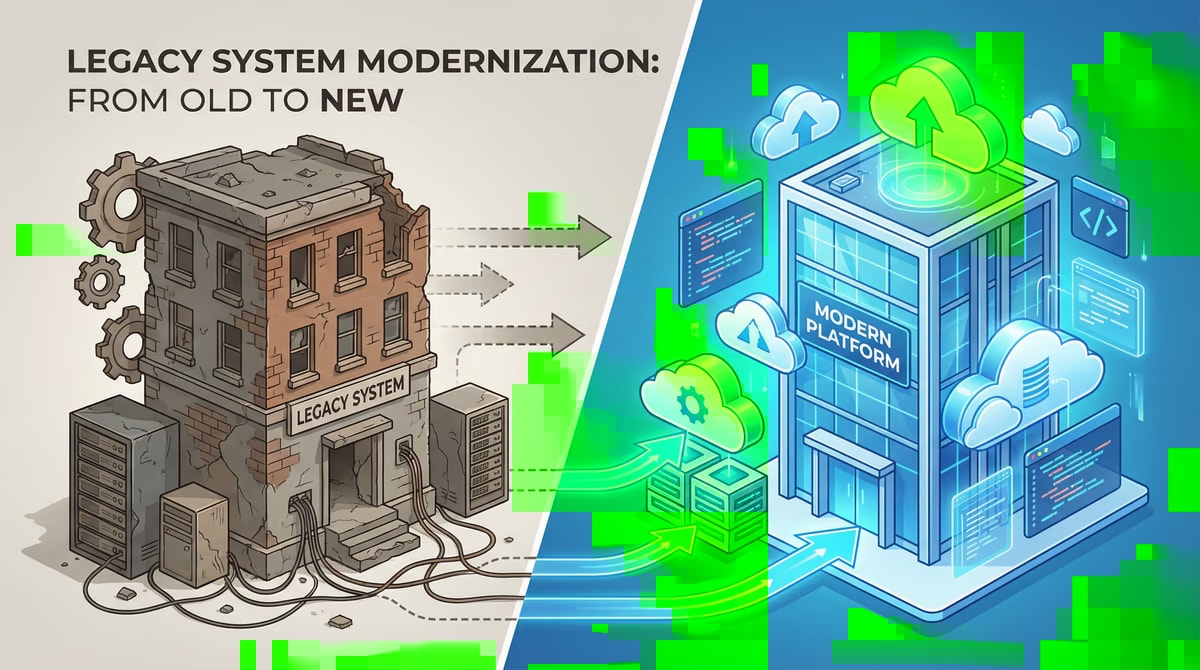
Technical debt in legacy systems: A ticking time bomb?
In the fast-paced world of software development, time and budget are often the driving forces. In order to adhere to deadlines and keep projects within the framework, compromises are often made at...
Replace legacy software: strategies and common pitfalls
In today's fast-paced digital world, outdated software systems, often referred to as legacy software, are one of the biggest challenges for companies. You can find innovations frombrem...
Legacy Migration: Strategies for a smooth transition
In today's rapidly changing digital landscape, outdated IT systems, often referred to as legacy systems, represent a considerable challenge for many companies. Although she...
Free download
Checklist: 10 questions before software development
Key points before you start: budget, timeline, and requirements.
Get the checklist in a consultationRelevant next steps
Related services & solutions
Based on this article's topic, these pages are often the most useful next steps.
Related solutions
Related comparison
Practical next steps after Automate manual processes: Overview of software solutions
Automate manual processes: Overview of software solutions addresses a practical choice for product and IT teams. Start with one clear goal: align software scope, technical risk, and business value before the next investment.
Check the current process, the data involved, and the result users need. Then record the main risks and define a small first step. This keeps the decision easy to review and gives your team a shared basis.
For implementation support, our custom software development connects the article's guidance with architecture, delivery, and stable operations. Engineering and project ownership stay with our team in Leer, Germany.
This post belongs to Legacymodernization. Browse the related Legacymodernization articles or use the English software blog for other topics.
When budget is the next question, the software cost calculators provide planning ranges. The IT glossary explains key terms, while in-depth technology guides cover wider decisions.
If the topic affects a live project, book a technical consultation or send the context through our project contact form. We usually reply within one working day.