
Odoo
Odoo vs. SAP: A closer look at total cost of ownership (TCO)
In today's business world, characterized by digital transformation, a powerful enterprise resource planning (ERP) system for optimizing business processes is the increase in...

Estimate investment and duration for your ERP implementation.
In brief
The investment range for an ERP implementation is EUR 8,925 – 399,519 excl. VAT. Modules, migration, interfaces and training sit inside that span, not as a second total.
The calculation follows six visible stages. All figures remain planning values until scope and assumptions have been reviewed.
1. Capture inputs
The calculator records the visible project, volume, complexity and operating parameters selected on this page.
2. Add fixed components
Fixed base modules and selected add-ons are added without mixing them with recurring charges.
3. Apply multipliers
Quantity, complexity and scope factors multiply only the cost components identified for them in the calculator model.
4. Create the range
The calculator applies its documented lower and upper uncertainty factors to the base result; ROI views keep investment and savings visible separately.
5. Round and calibrate
Monetary result fields are rounded to the nearest whole euro. Public project-cost components are calibrated with the centrally maintained display factor.
6. Classify the result
The result is shown as non-binding guidance. A binding quote requires scope, data, integrations, risks and acceptance criteria to be reviewed.
Efficiency or discount factor: A central display factor of 0.7 is applied to public project-cost components to keep all calculators aligned with the currently reviewed pricing basis. It is not a customer-specific discount; customer-entered wages, revenues and existing operating costs are not reduced.
Why this is not a binding quote: The calculator cannot verify complete requirements, third-party dependencies, data quality, legal constraints or acceptance criteria.
Concrete project profiles with assumptions and indicative budgets—useful for internal alignment alongside the calculator.
Software leasing spreads this investment range over 72 months. Terms are on the software financing page.
FAQ
Licences or subscriptions, partner delivery, data migration, integrations and training.
Custom workflows or BI layers add project management and testing time that the calculator highlights.
Yes.
Adoption issues surface after go-live and become expensive support debt. Modelling training and communications alongside technical work avoids surprise staffing costs.

Separate licence spend from services
We help you compare vendor quotes apples-to-apples.
Historical documents, open transactions and chart-of-account changes multiply validation cycles.
Each extra dry-run consumes functional testers and finance sign-off time.
Local tax rules, languages and phased cutovers require more governance.
Expect additional travel or timezone overlap unless you centralise hypercare carefully.
Key factors are the number of modules introduced, the degree of customisation and the complexity of existing processes.
Data migration and integrations into surrounding systems also drive the effort. In this cost calculator you can rank module scope and company size as rough drivers.
Each additional module such as finance, warehouse, production or CRM increases configuration, testing and training effort.
A phased introduction spreads cost and risk over time. This allows the benefit of individual areas to be realised earlier.
Master and transactional data from legacy systems must be cleansed, mapped and transferred in a validated way.
Poor data quality is a common reason for delays and extra costs. You should not underestimate this item in your budget planning in this cost calculator.
An ERP changes workflows, so training, communication and supporting employees are decisive.
If this effort is saved, acceptance drops and the expected benefit fails to materialise. In our experience change management is an essential success factor and not a side item.
After the introduction there are costs for maintenance, licences, support and continuous adjustments to new requirements.
Regular updates and optimisations also belong here. You should plan for these operating costs beyond the project phase.
ERP projects in mid-sized companies often range, depending on scope, from the mid five-figure to the six-figure area across the entire introduction.
These ranges are experience values and depend strongly on modules, customisation and company size. The value in this cost calculator provides a first rough orientation.
Licenses, implementation, data migration, and training—so the ERP project is transparent upfront.
1. License and edition choice
We check cloud vs. on-premises and the right edition. From that follow license costs over 5 years.
2. Implementation effort
We estimate process workshops, configuration, customization, interfaces, and testing—module by module.
3. Data migration and training
Data quality is often underestimated. We honestly call out how much cleansing and mapping your master data needs.
4. Hypercare and operations
We calculate hypercare after go-live and ongoing support. So you see TCO—not only introduction cost.
| Model | When it fits | Budget & flexibility | Typical risks |
|---|---|---|---|
| Fixed price (fixed scope) | Clearly defined scope, stable requirements, repeatable delivery. | Predictable total cost; little room for change without a change order. | Scope creep leads to change orders or quality trade-offs. |
| Time & Material | Discovery, legacy, evolving requirements, or close collaboration. | Maximum flexibility; budget transparent via hourly or daily rates. | Without prioritisation, effort can grow—backlog and reviews matter. |
| Retainer / maintenance package | Ongoing operations, updates, small features, and support. | Agreed capacity per month; predictable follow-on cost. | Large changes may still need a separate estimate. |
| Hybrid (milestone + T&M) | MVP or phased releases with clear go-lives, then iterate. | Core delivery fixed price; extensions on a time-and-materials basis. | Define contractually what is in scope vs. extra work. |
Calculators on this page provide indicative ranges; we choose the right model with you based on risk, scope, and planning horizon.
The ranges shown are indicative. For a binding quote we discuss scope, priorities and funding options in a free intro call. Many digitalization projects qualify for grants – try our funding calculator.
Browse all cost calculators, explore services and typical solutions. Questions about ERP implementation? Contact us.
The calculator result for ERP implementation is indicative only – a binding budget follows scope alignment, data review, and quality targets.
Compare related calculators in the costs hub for edge cases (integrations, compliance, parallel run).
How much does your ERP project cost?
Interactive estimate based on your inputs.
Non-binding project range from the software cost calculator: EUR 10,332 – 372,623 excl. VAT.
Methodology: The estimates are based on historical project data, complexity drivers and standard implementation assumptions. Results are a non-binding indication only; effort and price must be calculated individually.
If you are still deciding
If you are ready to implement
Calculator overall range
EUR 19,600–224,000 excl. VAT, depending on systems and migration
The overall range is derived from the valid parameters of the relevant cost calculator.
Typical duration
3–15 months
Main risk drivers
Non-binding indication
This result is only a non-binding indication based on typical assumptions. Effort and price must be calculated individually for your project.
Blog posts that put budget, effort and typical project paths for this calculator in context.
Odoo vs. SAP: A closer look at total cost of ownership (TCO)
In today's business world, characterized by digital transformation, a powerful enterprise resource planning (ERP) system for optimizing business processes is the increase in...
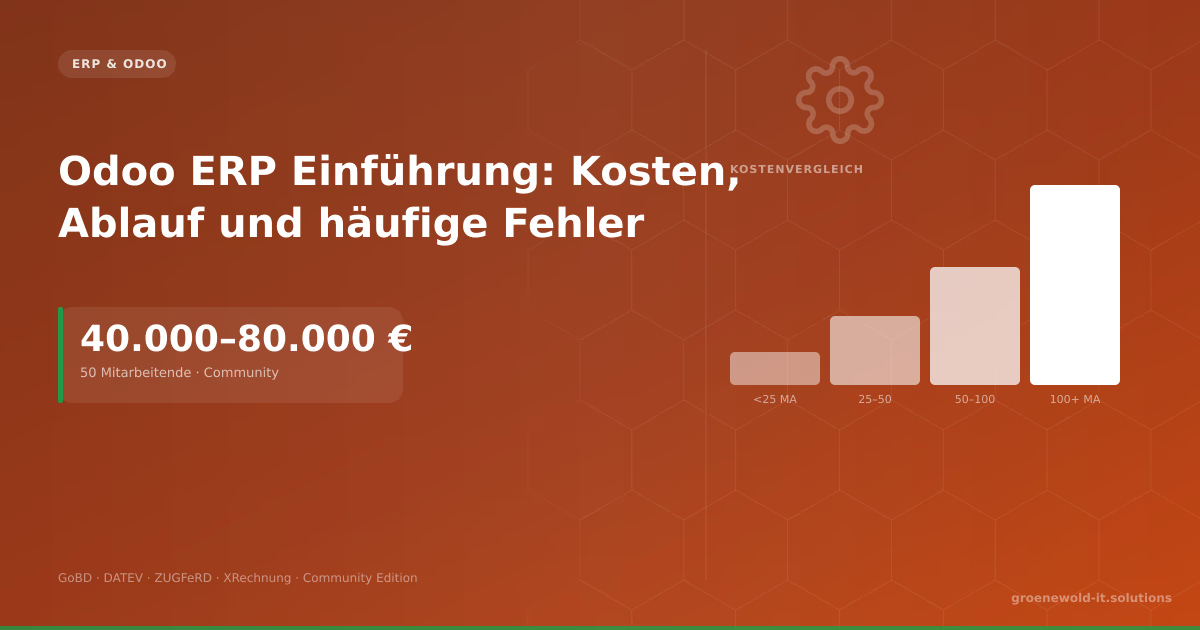
Odoo ERP Introduction: Cost, execution and frequent errors
An Odoo-ERP entry costs typically €40,000-80,000 for 50 employees. This article gives clear figures on Community vs. Enterprise, GoBD requirements, module issues and the five most common project errors.
Odoo vs. SAP: Which ERP solution fits the middle class?
In today's digital landscape, medium-sized companies face the crucial question of which ERP system (Enterprise Resource Planning) best supports their business processes...