
As of: 23 September 2026 · Reading time: 4 min
Key takeaways
- Step-by-step guide for developing your first Odoo module.
- Learn the basics of Odoo module development with Python and XML using a practical example.
Step-by-step guide for developing your first Odoo module. Learn the basics of Odoo module development with Python and XML using a practical example.
“For the mid-market, Odoo is what SAP is for large enterprises—only more flexible and cost-efficient.”
– Björn Groenewold, Managing Director, Groenewold IT Solutions
Guide: How to develop your first Odoo module
Posted: February 2026 | Reading time: 12 minutes | Category: Odoo Tutorial
The entry into the Odoo development can initially be overwhelming. But the modular structure of Odoo makes developers surprisingly easy to create their own functionalities.
In this step-by-step guide, we will show you how to develop your first, simple Odoo module from scratch.
= Needs
Before we start, make sure that you meet the following needs:
A working Odoo installation (version 16, 17 or 18)
Basic knowledge of Python
A text editor or an IDE (e.g. VS Code, PyCharm)
Access to the Odoo server file system
- Setting the module structure
Each Odoo module follows a standard directory structure. First create a new folder in the Odoo-Addons directory:
library management/ Г init .py Г manifest .py “The models/” “Init .py” │ └ (2007) book.py “Even views/” │ └ ♥ book views.xml “Security” │ └ ➔ └ static/” └ description description of ““ / └ icon.png.
- Create the Manifest file
The manifest .py is the heart of each module. It contains all metadata:
manifest .py
Step-by-step guide for developing your first Odoo module.
When planning How to develop your first Odoo module from idea to delivery, View services, Cost Calculator: Odoo ERP/CRM sowie Discover solutions offer practical next steps on our site.
{
'name': 'library administration',
'version': '1.0.0',
'summary': 'Manage your personal book collection',
"Description"
A simple module for managing books.
- Create and edit books
- Manage authors
- Track borrowing status
'author': 'your name',
'category': 'Tools',
'depends': ['base'],
'data': [
'security/ir.model.access.csv'
'views/book views.xml',
],
'installable': True,
'application': True,
'license': 'LGPL-3',
}
- Define the data model
In the model/book.py file we define our book model with all fields:
models/book.py
from odoo import models, fields, api

class Book(models.Model):
name = 'library.book'
description = 'Book'
order = 'name'
name = fields.Char(string='Titel', required=True) author = fields.Char(string='Autor') isbn = fields.Char(string='ISBN') publication date = fields.Date(string='appearance date') Pages = fields.Integer(string='Page number') state = fields.Selection([
('available', 'available'),
('borrowed')
], string='status', default='available')
Notes = fields.Text(string='Notizen')
- Create Views
In views/book views.xml we define the user interface with form and list view as well as the menu entry.
- Define access rights
The security/ir.model.access.csv file determines who can access the model:
id,name,model id:id,group id:id,perm read,perm write,perm create,perm unlink access library book user,library.book.user,model library book,base.group user,1,1,1
Install the module
After creating all files you can use the module instal
References and further reading
The following separate references complement the topics in this article:
- Bitkom – German digital industry association.
- German Federal Office for Information Security (BSI).
- European Commission – Digital strategy.
- MDN Web Docs (Mozilla)
- W3C – World Wide Web Consortium.
"Legacy migration often fails not because of the stack, but because tacit domain knowledge was never captured—budget explicitly for knowledge transfer."
— Björn Groenewold, Managing Director, Groenewold IT Solutions
Frequently Asked Questions (FAQ)
What is this article about: “How to develop your first Odoo module”?
This post explores How to develop your first Odoo module from the perspective of needs, typical pitfalls. And sensible next steps.
In short: Step-by-step guide for developing your first Odoo module. Learn the basics of Odoo module development with Python and XML using a practical example.
Who benefits most from the content described here?
Useful for project leads and product owners in Odoo who must choose between standard software, custom development, and integration.
How does this topic fit into an IT or digital strategy?
Technically and organizationally, alignment with experienced partners pays off — from requirements to operations; start with the [services overview](/en/services/software-development). For multi-system landscapes, [IT consulting and architecture](/en/services/it-consulting) helps align vendors and internal teams.
What are sensible next steps if we need support?
A practical next step: book a consultation and clarify which MVP or pilot fits your team and landscape.
About the author

Managing Director of Groenewold IT Solutions GmbH and Hyperspace GmbH
Since 2009 Björn Groenewold has been developing software solutions for the mid-market. He is Managing Director of Groenewold IT Solutions GmbH (founded 2010) and Hyperspace GmbH. As founder of Groenewold IT Solutions he has successfully supported more than 250 projects – from legacy modernisation to AI integration.
Blog recommendations
Related articles
These posts might also interest you.

Odoo vs. SAP: A closer look at total cost of ownership (TCO)
In today's business world, characterized by digital transformation, a powerful enterprise resource planning (ERP) system for optimizing business processes is the increase in...
Odoo ERP Introduction: Cost, execution and frequent errors
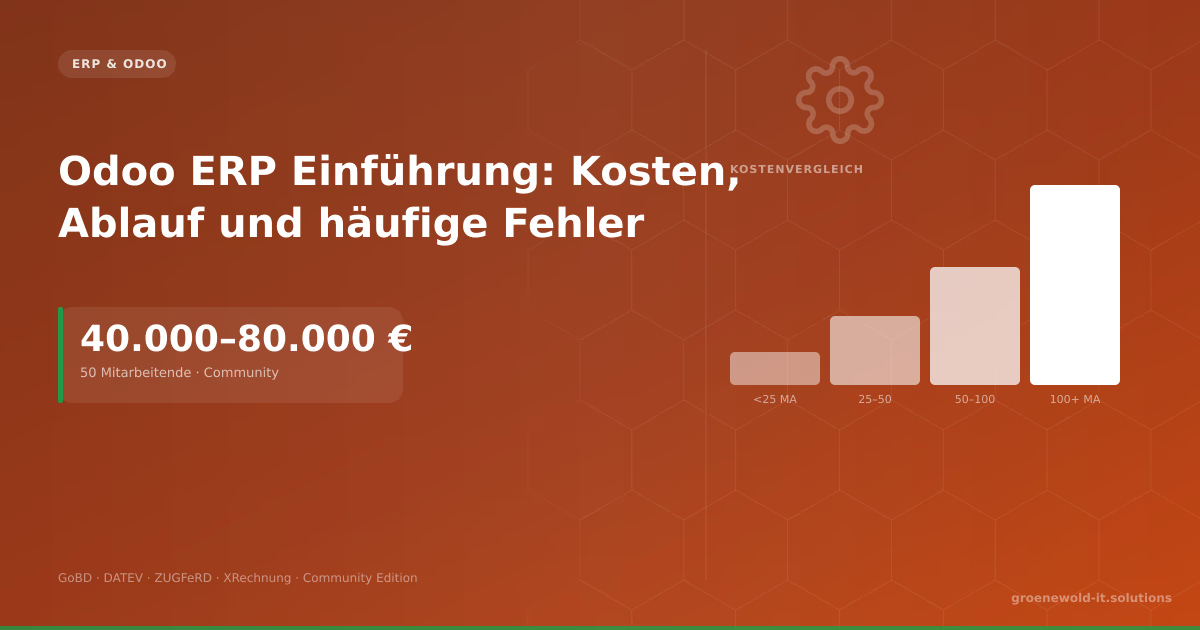
An Odoo-ERP entry costs typically €40,000-80,000 for 50 employees. This article gives clear figures on Community vs. Enterprise, GoBD requirements, module issues and the five most common project…
Odoo vs. SAP: Which ERP solution fits the middle class?
In today's digital landscape, medium-sized companies face the crucial question of which ERP system (Enterprise Resource Planning) best supports their business processes...
Free download
Checklist: 10 questions before software development
Key points before you start: budget, timeline, and requirements.
Get the checklist in a consultationRelevant next steps
Related services & solutions
Based on this article's topic, these pages are often the most useful next steps.
Related services
Related solutions
Cost calculators
Practical next steps after How to develop your first Odoo module
How to develop your first Odoo module addresses a practical choice for product and IT teams. Start with one clear goal: select and adapt an ERP setup around real workflows instead of generic feature lists.
Check the current process, the data involved, and the result users need. Then record the main risks and define a small first step. This keeps the decision easy to review and gives your team a shared basis.
For implementation support, our Odoo ERP consulting and development connects the article's guidance with architecture, delivery, and stable operations. Engineering and project ownership stay with our team in Leer, Germany.
This post belongs to Odoo. Browse the related Odoo articles or use the English software blog for other topics.
When budget is the next question, the software cost calculators provide planning ranges. The IT glossary explains key terms, while in-depth technology guides cover wider decisions.
If the topic affects a live project, book a technical consultation or send the context through our project contact form. We usually reply within one working day.