🇩🇪
Make-or-buy software calculator

Make or buy: compare custom development and standard software

Compare custom development with recurring licence costs for standard software – and see after how many months custom development pays off.

Make-or-buy calculator

Costs for Make or Buy depend on scope, risk, and quality expectations. The calculator provides an initial range.

Sizing costs for Make or Buy

  • Binding quotes follow a short scope alignment
  • Include operations, maintenance, and potential grants
  • Many mid-market digitalization projects may qualify for funding

Transparent quoting

  • Milestones and documented assumptions
  • Clear exclusions in the quote
  • Consulting and development delivered from Germany

We quote transparently with dedicated contacts from East Frisia.

Sample calculations & scenarios

Concrete project profiles with assumptions and indicative budgets—useful for internal alignment before the calculator.

Cost examples

All cost examples for this calculator

Use the calculator right below for an instant first estimate – no sign-up and no fixed-price commitment. We align scope, risks, and assumptions in a conversation before a binding quote.

Make-or-buy calculator

Loading calculator…

FAQ

Make or buy software

Understanding make or buy

How does the calculator compare custom development and standard software?

The calculator compares the one-off custom development (plus a maintenance share of around 25% over the lifetime) with the recurring licence costs of standard software – depending on user count and how well the standard fits your processes. The result is the point from which custom development becomes cheaper.

From when is custom development cheaper than licences?

Rule of thumb from our projects: with 25 users and medium standard fit, break-even often lands at 4–6 years; with 100 users or a poor fit (expensive add-ons, workarounds) considerably earlier. With few users and a good fit, standard software usually remains the more economical choice.

What does “standard fit” mean in practice?

How much of your processes the standard software covers without customisation. A good fit means standard processes and affordable base licences (about EUR 25/user/month). A poor fit means expensive editions, add-on modules and manual work around the tool – realistically often EUR 80/user/month and more when all side costs are counted honestly.

Björn Groenewold – Geschäftsführer Groenewold IT Solutions

De-risk your make-or-buy decision

We evaluate requirements, standard candidates and custom development neutrally – with solid numbers.

Decision & practice

Which factors belong in the decision besides cost?

Strategic questions: is the process a competitive advantage (favours make) or a commodity (favours buy)? Add vendor dependency, data ownership, integration capability into your system landscape and how often your processes change – custom software adapts to you, with standard software you adapt to it.

What hidden costs does standard software have?

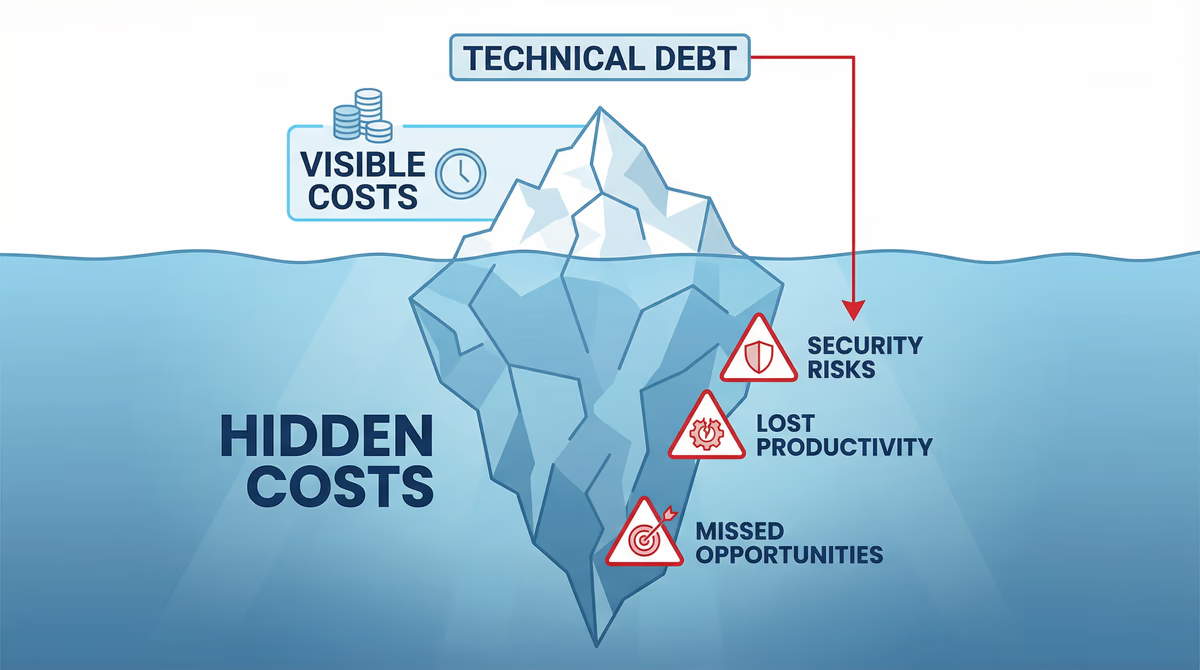
Frequently underestimated: price increases at contract renewal, paid add-on modules for “actually obvious” functions, effort for workarounds around process gaps, interface fees and the migration effort when the vendor discontinues the product or raises cloud prices.

Is there a middle path between make and buy?

Yes – and it is often the best one: standard software for commodity processes (accounting, e-mail) combined with custom development for the differentiating core processes. Open-source bases such as Odoo with targeted customisation also combine low licence costs with precisely fitting processes.

Typical pricing models (overview)

Comparison: typical pricing models for software and IT projects
ModelWhen it fitsBudget & flexibilityTypical risks
Fixed price (fixed scope)Clearly defined scope, stable requirements, repeatable delivery.Predictable total cost; little room for change without a change order.Scope creep leads to change orders or quality trade-offs.
Time & MaterialDiscovery, legacy, evolving requirements, or close collaboration.Maximum flexibility; budget transparent via hourly or daily rates.Without prioritisation, effort can grow—backlog and reviews matter.
Retainer / maintenance packageOngoing operations, updates, small features, and support.Agreed capacity per month; predictable follow-on cost.Large changes may still need a separate estimate.
Hybrid (milestone + T&M)MVP or phased releases with clear go-lives, then iterate.Core delivery fixed price; extensions on a time-and-materials basis.Define contractually what is in scope vs. extra work.

Calculators on this page provide indicative ranges; we choose the right model with you based on risk, scope, and planning horizon.

Costs & next steps

The ranges shown are indicative. For a binding quote we discuss scope, priorities and funding options in a free intro call. Many digitalization projects qualify for grants – try our funding calculator.

Browse all cost calculators, explore services and typical solutions. Questions about Make Or Buy? Contact us.

After using the Make Or Buy calculator, validate assumptions in a short intro call.

What we align in the call

  • Scope, risks, and funding options
  • Milestones and documented exclusions
  • Transparent quote without hidden line items

Costs for Make Or Buy in context

  • Scope, risk, and quality expectations drive the range
  • Include operations, maintenance, and grants
  • Dedicated contacts and short paths from East Frisia

Browse all cost calculators in the costs overview.