As of: 19 June 2026 · Reading time: 4 min
Key takeaways
- The Altsystem migration is a necessary step for many companies to remain competitive and not lose the connection technologically.
- Outdated systems are often expensive in...
The Altsystem migration is a necessary step for many companies to remain competitive and not lose the connection technologically. Outdated systems are often expensive in...
“Good software is not an accident—it comes from a structured development process with clear quality standards.”
– Björn Groenewold, Managing Director, Groenewold IT Solutions
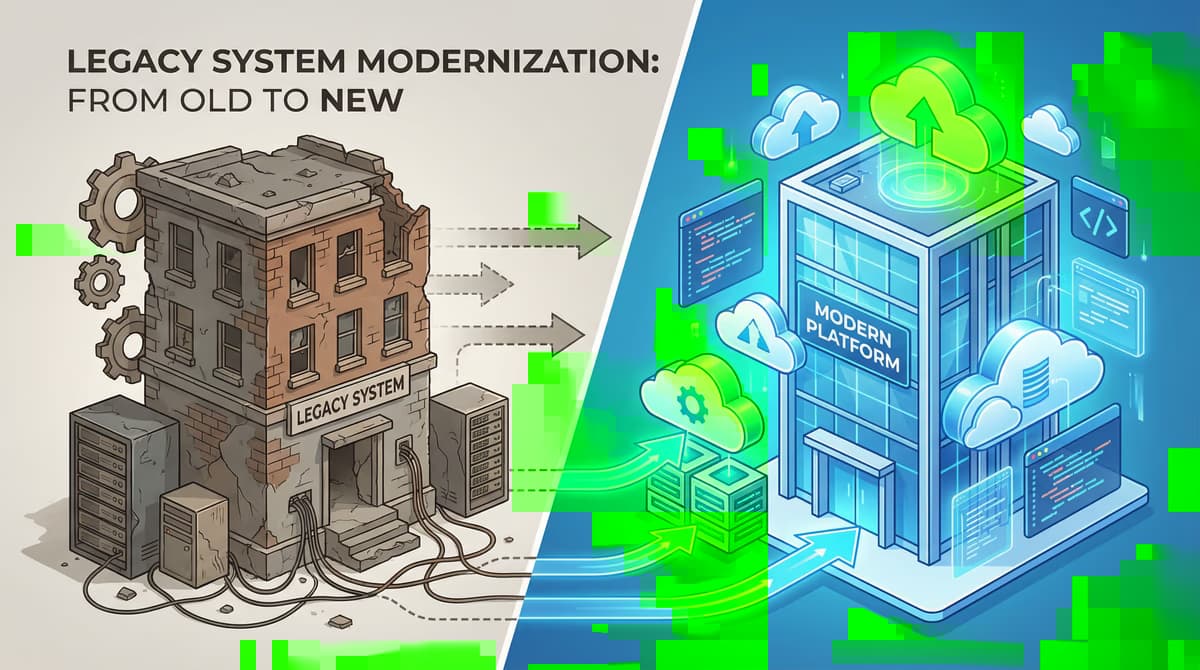
The Altsystem migration is a needed step for many companies to remain competitive and not lose the connection technologically.
Outdated systems are often expensive in maintenance, uncertain and can slow down the digital transformation of a company.
But the transition to a new IT infrastructure is complex and has many risks.
Careful planning, complete risk management and thought-out fallback strategies are crucial for the success of such a project.
In this post we highlight the most common dangers and show how to make your old system migration safe and efficient.
The mosquitoes of the old system migration: 7 common risks
The Altsystem migration is a needed step for many companies to remain competitive and not lose the connection technologically.
For Altsystem migration: risk management and fallback strategies for a…, Legacy Modernisation, Cost Calculator: Legacy Modernisation, Solution: Legacy Reduction sowie Monolith vs. Microservices help you align rollout, scope and budget before you commit.
A migration of old systems is far more than just a technical upgrade. It concerns processes, data and not least the employees of a company.
Without predictive planning, unforeseen problems can occur that are sensitive to business operations.
Based on experiences from many migration projects, seven central risks have emerged which must be taken into account.
1. Written and outdated data
Short: Over the years, large amounts of data are collected in old systems.
Over the years, large amounts of data are collected in old systems. Not all of these data are still relevant or in a consistent format.
If outdated or faulty data are taken into the new system without testing, this can lead to considerable process disorders and data silos.
For example, old form numbers or customer addresses that are no longer valid can impair the features of the new system.
2. Vulnerabilities in the old system
Short: Old systems often have known or undiscovered vulnerabilities.
Old systems often have known or undiscovered vulnerabilities. If these weaknesses are not identified and closed during migration, they can be transferred to the new system.
This represents a major security risk and can endanger the integrity and confidentiality of your business data.
3. Operating interruptions (Downtime)
Short: Complete system migration can rarely be carried out overnight or on a weekend.
Complete system migration can rarely be carried out overnight or on a weekend. Especially in complex IT landscapes, staggered migrations are needed.
If different departments work in the transition phase with different systems, this can lead to communication problems and process interruptions that are sensitive to business operations.
4. Missing or insufficient rollback strategy
Short: Even in the best planning, unforeseen problems can occur.
Even in the best planning, unforeseen problems can occur. In this case, a detailed rollback strategy is essential.
If such a plan fails, or if it is insufficient, a failed migration attempt can lead to major data losses and long downtimes.
A well-thought-out rollback strategy allows for quick and safe ursp in emergency
References and further reading
The following separate references complement the topics in this article:
- Bitkom – German digital industry association.
- German Federal Office for Information Security (BSI).
- European Commission – Digital strategy.
- MDN Web Docs (Mozilla)
- W3C – World Wide Web Consortium.
"APIs are the backbone of modern systems; stabilise contracts early or pay twice in integration work later."
— Björn Groenewold, Managing Director, Groenewold IT Solutions
Frequently Asked Questions (FAQ)
What is this article about: “Altsystem migration: risk management and fallback strategies for a smooth transition”?
Here we cover Altsystem migration. Risk management and fallback strategies for a smooth transition — focused on architecture, process. And business outcomes. In short.
The Altsystem migration is a needed step for many companies to remain competitive and not lose the connection technologically. Outdated systems are often expensive in...
Who benefits most from the content described here?
Typical readers are business and IT leaders in Software development who want to secure quality, security, and ease of upkeep over the long term.
How does this topic fit into an IT or digital strategy?
In a digital strategy, prioritize stable core processes first, then extensions. See also professional software development and consulting.
For multi-system landscapes, IT consulting and architecture helps align vendors and internal teams.
What are sensible next steps if we need support?
If you need support with design, delivery, or modernization: schedule an appointment or outline your project via contact.
About the author

Managing Director of Groenewold IT Solutions GmbH and Hyperspace GmbH
Since 2009 Björn Groenewold has been developing software solutions for the mid-market. He is Managing Director of Groenewold IT Solutions GmbH (founded 2010) and Hyperspace GmbH. As founder of Groenewold IT Solutions he has successfully supported more than 250 projects – from legacy modernisation to AI integration.
Blog recommendations
Related articles
These posts might also interest you.

How to connect your company systems for sustainable success
In today's business world marked by digital transformation, data is the undisputed elixir of life of every company. They are the basis for innovation, efficiency and sound...

Venture Capital for Software Development: Opportunities and Risks
In the dynamic world of software development, access to capital is often the decisive factor that decides on the success or failure of an innovative start-up. One of the famous...
Software funding in the middle class: practical examples and success factors
Digitization poses major challenges to small and medium-sized enterprises (SMEs), but also offers immense opportunities. One of the central hurdles is often Software Financing. How...
Free download
Checklist: 10 questions before software development
Key points before you start: budget, timeline, and requirements.
Get the checklist in a consultationRelevant next steps
Related services & solutions
Based on this article's topic, these pages are often the most useful next steps.
Related solutions
Related comparison
Cost calculators
Practical next steps after Altsystem migration: risk management and fallback strategies for a smooth transition
Altsystem migration: risk management and fallback strategies for a smooth transition addresses a practical choice for product and IT teams. Start with one clear goal: reduce legacy risk in controlled steps while daily work and key data remain available.
Check the current process, the data involved, and the result users need. Then record the main risks and define a small first step. This keeps the decision easy to review and gives your team a shared basis.
For implementation support, our legacy software modernization connects the article's guidance with architecture, delivery, and stable operations. Engineering and project ownership stay with our team in Leer, Germany.
This post belongs to Software development. Browse the related Software development articles or use the English software blog for other topics.
When budget is the next question, the software cost calculators provide planning ranges. The IT glossary explains key terms, while in-depth technology guides cover wider decisions.
If the topic affects a live project, book a technical consultation or send the context through our project contact form. We usually reply within one working day.