
As of: 23 September 2026 · Reading time: 7 min
Key takeaways
- Cloud migrations rarely fail in technology – more often in lack of preparation, undocumented dependencies and lack of rollback strategy.
- A practical step-by-step guide that prevents failures.
Cloud migrations rarely fail in technology – more often in lack of preparation, undocumented dependencies and lack of rollback strategy. A practical step-by-step guide that prevents failures.
“Digitalization is not an IT project—it is a business strategy.”
– Björn Groenewold, Managing Director, Groenewold IT Solutions
Cloud migration step by step: How to manage change without failure
Short: Cloud migrations rarely fail at cloud.
Cloud migrations rarely fail at cloud. They fail in undocumented dependencies that only occur after the move. Data migration problems that have not occurred in the test.
Missing rollback plans when something goes wrong. And unrealistic schedules that do not leave a buffer for the inevitable surprises.
This post is an honest step-by-step guide – not the sales brochure.
Preparation: Before migration begins
Short response: Cloud migrations rarely fail in technology – more often in lack of preparation, undocumented dependencies and missing rollback strategy.
Leaders around Cloud migration step by step: How to use change without...
Legacy-Modernization, Cost calculator: Legacy-Modernization, Solution: Abbau and Comparison: Monolith vs. Microservices as structured next steps.
Create application inventory
List all applications, services and databases that may be migrated. For each application:
- Technology stack (OS, Runtime, Database, Middleware).
- Dependencies on other systems (APIs, databases, file sharing).
- Data volume and growth rate.
- Access needs and maintenance windows.
- Compliance needs (GDPR, industry regulation).
- Current operator and controller
Sustainability review
This is the step that many skip – and then regret.
Tools such as AWS Application Discovery Service, Azure Migrate or infrastructure monitoring tools (Zabbix, Prometheus) can map network connections between systems.
What you will find will be more than expected.
Search explicitly.
Hard-coded IP addresses (which change during migration), file releases that use other systems, time-controlled jobs (Cron, Task Scheduler) that access other systems, printer releases, Samba-Shares and other network services.
Planning migration order
Not all applications at once. Dependencies determine the order: First, the systems that others depend on (e.g. Active Directory, Database Server), then the dependent applications.
Categorize applications according to criticality:
- Critical (production failure in case of error) → Last, with maximum preparation.
- Important (important impairment) → middle phase.
- Uncritical (test, development environments) → First, as a field of practice.
Prepare cloud environment Before the first application is migrated:
- Set up cloud account, configure billing alerts.
- Define network architecture (VPC, subnetworks, security groups).
- Set up identity and access management (IAM).
- Configure monitoring and logging (CloudWatch, Azure Monitor, Stackdriver).
- Build VPN or direct connection to on-premise environment.
- Plan name resolution (DNS) between on-premise and cloud.
Step 1: Pilot Migration
Why a pilot?
The pilot reduces risks by learning on an uncritical system. What goes wrong in the pilot does not go wrong in the productive system.
What application as a pilot?
- Low critique (no production failure in case of failure).
- Representative complexity (not the simplest system, otherwise you learn nothing).
- Typical tech stack of the company.
- Known and fully recorded dependencies.
What to learn in the pilot is:
- Yes. How does the migration process work technically?
- Yes. How long does what take? What unexpected dependencies are emerging?
- Yes. How does monitoring work in the cloud?
- What performance differences are there?
Pilot results are recorded and included in the planning of main migration. Don't skip.
Step 2: Planning Data Migration
Data migration is complex enough for a separate chapter. Typical errors:
Data volume underestimated. If you only notice that 5 TB data needs 4 days via a 100 Mbit line, you have a problem. pre-calculate bandwidth and transmission time.
Data quality not tested. What on-premise has functioned can reveal errors in migration: double primary keys, inconsistent references, incorrect date formats. Data quality check before migration.
Increment migration not planned. For large amounts of data: bulk migration first (days before the go-live), then incremental synchronization of the changes to the cut.
Migration strategy per database type:
- Relational DBs: dump-and-restore for small DBs, replication-based migration for large DBs without long failure.
- File systems: rsync-based incremental synchronization.
- Object Storage (S3, Blob): parallel multi-thread transmission with check sum validation.
Step 3: Define rollback strategy
Before every migration step: What is the rollback plan when it goes wrong?
For Rehost Migrations:
- On-premise system continues until after the acceptance test in the cloud.
- At Go-live: DNS switchover instead of IP switch (supplements quick switch back).
- Set DNS TTTL to low value before migration (5–10 minutes).
- Backup the database levels at once before switching Determine rollback time window: How long can the cloud environment be observed before the rollback time point expires? Typical: 24–72 hours for critical systems.
Run rollback test: Play the rollback process before real go-live once in staging.
Step 4: Go-live and Monitoring
Select maintenance window: Migrations of critical systems: outside business hours, with willingness of all parties.
Not Friday evening (weekend as a buffer is tempting – but help is more difficult to reach). Better: Tuesday or Wednesday.
Communication plan:
- Internal communication: IT team, departments, management.
- External communication if needed: customers, suppliers with systemic connection.
- Who decides about Rollback?
Monitoring by Go-live:
- System metrics: CPU, Memory, Disk, Network.
- Application metrics: response times, error rate, transaction throughput.
- Log monitoring: error messages, unexpected exceptions.
- Comparison with baseline values from the on-premise environment.
Hypercare phase: At least 2 weeks after go-live increased attention. Only then is the system stable enough to turn off on-premise as fallback.
Step 5: Optimization after migration
Short: Migration is not the end.
Migration is not the end. In the first months after migration:
Cost optimization:
- Rightsizing: Are the selected cloud instance sizes correct? Overpaid or too small?
- Reserved Instances / Savings Plans: major discounts for stable workloads (up to 40–60 %).
- Find unused resources and switch off (waisted snapshots, unused volumes).
Safety optimization:
- Reduce security groups and firewall rules to minimum.
- Check encryption for storage and data transmission.
- Customize IAM Rolls and Policies according to Least Principle.
- IT Security Review of the cloud environment.
Performance optimization:
- Activate CDN for static assets.
- Check database queries and indexes (cloud patterns show new patterns).
- Caching-Layer (Redis, Memcached) where useful use.
Conclusion
A Cloud migration without failure is possible with sufficient preparation, a pilot project, a clear rollback strategy and a realistic schedule.
The steps are known; the problem is the temptation to skip them to be ready faster. It's almost always coming.
Our team accompanies cloud migration projects with experience from real mid-sized firms projects – from dependency review to post-migration monitoring.
Frequently Asked Questions (FAQ)
How long should the on-premise environment continue after migration?At least 4–6 weeks after successful go-live for critical systems. Turn off only when all functions in the cloud are confirmed and no rollback option is needed anymore.
What to do if a rollback is necessary?
DNS switching back if the application is addressed by host name. Return database synchronization (Delta changes created in the cloud). Analyze cause before migrating again.
Which tools help with cloud migration?
AWS: Application Migration Service (MGN), Database Migration Service (DMS). Azure: Azure Migrate. GCP: Migrate to Virtual Machines. Cloud separate: Carbonite Migrate, Zerto.
For database migration: AWS Schema Conversion Tool, Azure Database Migration Service.
Should we hold a change freeze for migration?
Recommended: No major release shortly before or after a migration. Changes increase complexity. At least two weeks before the Migration Go-live a code freeze for the affected systems.
Technical sources and further links
The following separate references complement the grouping on the topics of this Article:
- Bitkom – Digital Economy Association.
- BSI – Federal Office for Information Security.
- European Commission – Digital Strategy.
- MDN Web Docs (Mozilla)
- W3C – World Wide Web Consortium.
"Cloud native is not a self-interest: The benefits arise only when operation, security and costs are transparent to architecture."
— *Björn Groenewold, Managing Director, Groenewold IT Solutions *
About the author

Managing Director of Groenewold IT Solutions GmbH and Hyperspace GmbH
Since 2009 Björn Groenewold has been developing software solutions for the mid-market. He is Managing Director of Groenewold IT Solutions GmbH (founded 2010) and Hyperspace GmbH. As founder of Groenewold IT Solutions he has successfully supported more than 250 projects – from legacy modernisation to AI integration.
Blog recommendations
Related articles
These posts might also interest you.
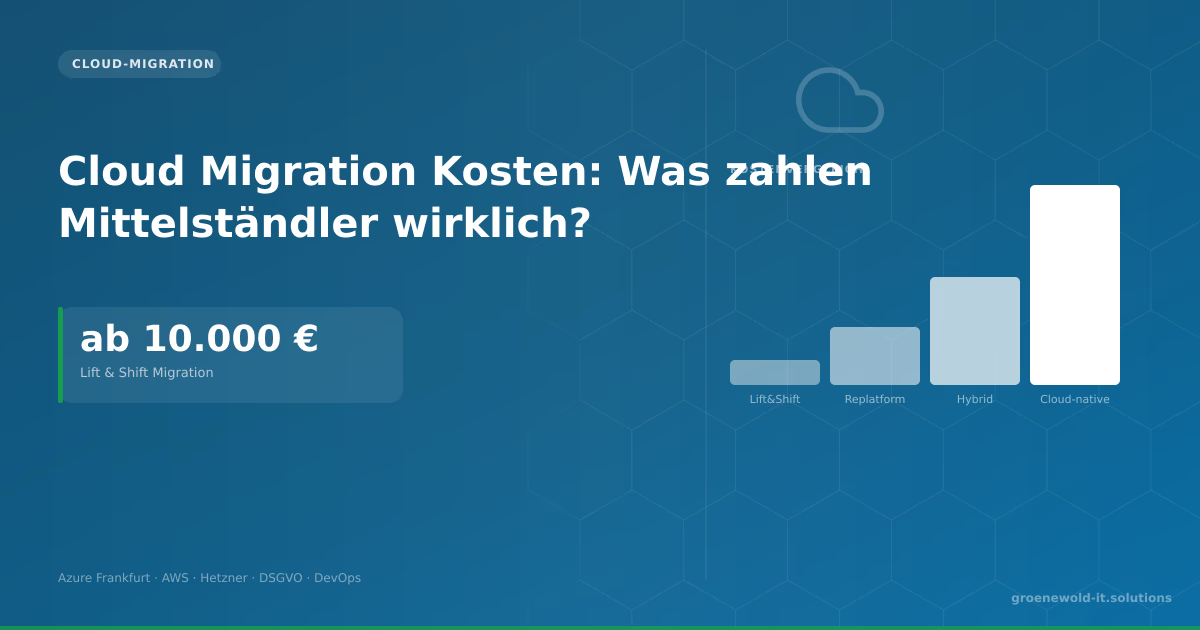
Cloud Migration Costs: What do SMEs really pay?
Cloud Migration costs €10,000 to €150,000. Lift & Shift is cheap but not optimal. This article explains the four migration approaches, running cloud costs and which provider fits German mid-sized…

Cloud Migration: Costs, Risks and Schedule
Cloud migration sounds easier than it is. Who realistically assesses costs, risks and schedules saves expensive surprises. This article shows which factors are driving the effort, which is often…

On-Premise vs. Cloud: Decision Guide for Mid-Sized Companies
On-premise or cloud? The answer depends on factors lacking in many comparisons: data volume, compliance requirements, utilisation patterns, personnel costs, growth path. This contribution provides a…
Free download
Checklist: 10 questions before software development
Key points before you start: budget, timeline, and requirements.
Get the checklist in a consultationRelevant next steps
Related services & solutions
Based on this article's topic, these pages are often the most useful next steps.
Related services
Related solutions
Related comparison
Cost calculators
Practical next steps after Cloud Migration Step by Step: How to Switch Without Outages
Cloud Migration Step by Step: How to Switch Without Outages addresses a practical choice for product and IT teams. Start with one clear goal: reduce legacy risk in controlled steps while daily work and key data remain available.
Check the current process, the data involved, and the result users need. Then record the main risks and define a small first step. This keeps the decision easy to review and gives your team a shared basis.
For implementation support, our legacy software modernization connects the article's guidance with architecture, delivery, and stable operations. Engineering and project ownership stay with our team in Leer, Germany.
This post belongs to Cloud-Migration. Browse the related Cloud-Migration articles or use the English software blog for other topics.
When budget is the next question, the software cost calculators provide planning ranges. The IT glossary explains key terms, while in-depth technology guides cover wider decisions.
If the topic affects a live project, book a technical consultation or send the context through our project contact form. We usually reply within one working day.