
As of: 23 September 2026 · Reading time: 17 min
Key takeaways
- Off-the-Shelf: Costs, Benefits and Risks Compared.
- Find the right solution for your company – now inform.
Custom Software vs. Off-the-Shelf: Costs, Benefits and Risks Compared. Find the right solution for your company – now inform.
“Digitalization is not an IT project—it is a business strategy.”
– Björn Groenewold, Managing Director, Groenewold IT Solutions
Custom Software vs. Off-the-Shelf: What's behind the terms?
Custom Software vs. Off-the-Shelf: Costs, Benefits and Risks Compared.
For Custom Software vs. Off-the-Shelf: The Great Comparison, Cost Calculator: Legacy Modernisation and Solution: Legacy Reduction are practical starting points. Budget and industry context: Monolith vs. Microservices.
What is individual software (Custom Software)?
Custom Software is a software solution that will be especially developed for the requirements of an individual company.
It exactly forms the existing business processes, can be seamlessly integrated into existing system landscapes and, after completion, belongs completely to the client.
The decisive difference to finished solutions lies in the ownership structure.
The company has the source code - no dependency on license decisions of third parties, no forced updates, no price increases by the provider.
What is standard software (Off-the-Shelf)?
Standard Software is a prefabricated solution for a broad user group that is ready for use without customization. Known examples are SAP S/4HANA Cloud or Salesforce.
The advantage is obvious: fast rollout and shared development effort. The disadvantage is structural: the software does not adapt to the company. The company adapts to the software.
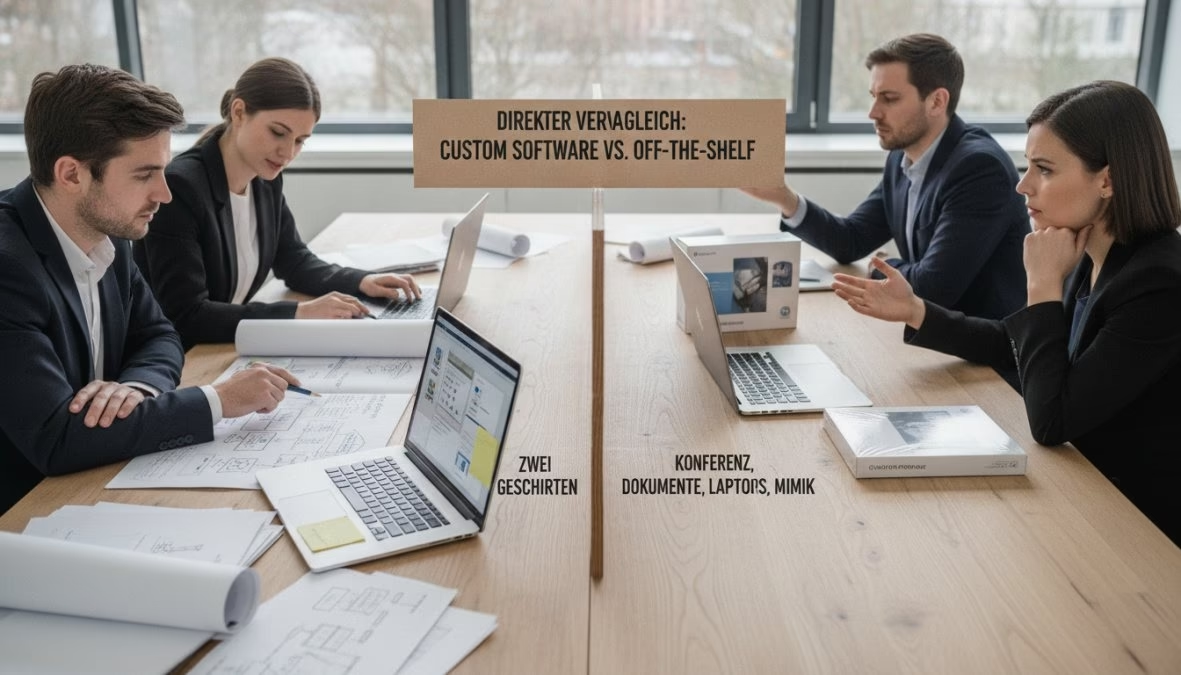
Direct comparison: Custom Software vs. Off-the-Shelf at a glance
Both approaches have their right of existence.
The question is not which is better but which fits the specific needs, the budget and the strategic orientation of a company.
| criterion | custom software | standard software |
|---|---|---|
| Rollout time | Weeks to months | Days to weeks |
| Initial costs | High | Low to medium |
| Total Cost of Ownership (TCO) | Long term often lower | Increase with user number and add-ons |
| Adaptability | Fully | Limited (configuration) |
| Source code property | Yes | No |
| Vendor Lock-in | No high | |
| GDPR control | Fully | Depending on the provider |
| Scalability | Individually planned | defined by provider |
| Maintenance | Own ownership | Provider takes over |
| competitive advantage | High (proprietary) | Low (market standard) |
| The table shows the basic pattern. Most companies are somewhere between these Poles - and clearly there the decision becomes complex. |
:: Summary The build-vs.-Buy decision is not a matter of budget alone.
Companies with unique processes or high data protection needs drive better with custom software in the long term, even if initial investment is higher. ::
advantages and disadvantages of individual software in detail
Benefits of individual software
The strongest advantage of custom software is control over functions, data, deployment and further development. No provider can remove features, increase prices or set the service. This means:
- Process training without compromise: Workflow automation follows the real process, not a generalized industry standard.
- Integration in existing systems: Interfaces to ERP, CRM or legacy systems are built exactly as needed.
- Data sovereignty: All data are GDPR compliant in the EU.
- Long-term competitive advantage: competitors can buy the same standard software. Custom software cannot be copied by definition.
Disadvantages of individual software
The higher initial costs are the most obvious drawback. An custom software project requires planning time, development effort and testing before the first line is used productively.
In addition, the maintenance ownership comes. Anyone who runs Custom Software is responsible for updates and security patches - this requires internal know-how or a reliable development partner.
Another risk. If the original developer is no longer available and the source code has not been passed, a new kind of dependency is created.
:::warning custom software without complete source code transfer creates a hidden dependency on the developer.
Before each project, it should be contractually ensured that the client receives full ownership of the code after payment. ::
Advantages and disadvantages of standard software
Advantages of standard software
Standard software gains clear at one criterion: speed. A SaaS solution like Salesforce can run productively within a few days. Further strengths.
Low entry barriers through subscription models, professional technical support, proven functions and a large ecosystem of standard interfaces.
For companies with standardised processes without real differentiation claim - accounting, HR management, generic project management - off-the-shelf is the reasonable choice.
Disadvantages of standard software
The subscription model scales with the number of users. What is affordable for five users is becoming a major continuous load for fifty users.
In addition, add-ons and premium modules are missing in the base price. SAP S/4HANA, for example, often requires multiannual rollout projects with external consultants.
And the adjustment problem remains structural. Companies with unique processes need to adapt their software processes sooner or later - not vice versa.
Cost comparison in software development: TCO instead of only list price
The most common error is the comparison of the list price of a SaaS solution with the development budget for Custom Software.
It's not an apple pear comparison, that's an apple tractor comparison.
Hidden costs for standard software (SaaS & license models)
The Total Cost of Ownership (TCO) consists of more than the monthly license fee.
According to Gartner's analysis on Enterprise Software TCO, companies regularly underestimate the total cost of SaaS implementations. Typical hidden cost positions.
Rollout costs and consulting fees, training expenses, costs for premium modules, price increases for contract extension, integration effort and data migration projects during change.
Return on Investment (ROI) for Individual Software
Custom Software's ROI shows itself over time. Groenewold IT Solutions recommends the following framework:
ROI calculation for custom software:
Development costs (single). Project offer price Maintenance costs (annual).
About 15-20% of development costs as indicative Personnel hours saved per year x hourly rate Reduced license costs of detached standard software Value of the obtained process quality (error reduction, transit time)
Many midsize companies reach the break-even after three to four years. After that, the software works without running license costs.
:::tipp For a loadable TCO calculation, the comparison period should include at least five years.
Over this horizon, the cost relationship between Custom Software and SaaS is reversed in many cases. ::
The Build-vs.-Buy decision: A decision frame
The build-vs.-buy decision depends on five key factors:
Decision matrix:
| Factor | Language for Custom | Language for Off-the-Shelf |
|---|---|---|
| Process uniqueness | High differentiation | Standard processes |
| Data protection needs | GDPR-critical, sensitive data | Uncritical data |
| Time pressure | No immediate deadline | Quick rollout needed |
| Budget structure | Investment budget available | Only running costs possible |
The crucial question: is this process a unique feature or a commodity? If it is a unique feature, it belongs to proprietary software.
As McKinsey's review of digital transformation decisions shows, digital transformation projects often fail not at the technology.
However, at the wrong choice of the approach for the respective corporate context.
Vendor Lock-in, technical debt and security: What decision-makers often overlook
Vendor Lock-in and Exit Strategy for Standard Software
Vendor Lock-in is getting slimy. After two years, processes, data and employee knowledge are embedded so deeply into the system that a change becomes prohibitively expensive. Concrete risks.
Price increases without real change alternatives, dependency on the provider's product strategy, complex and expensive data migration. This also covers possible adjustment of the product.
An exit strategy should be defined before the purchase decision. Questions such as "How do we export our data in an open format?".
Must be regulated in the contract.
Technical debt (Technical Debt) in both approaches
Technical debt arises not only in the case of self-built software.
In the case of custom software, they are created by development decisions under time pressure or lack of documentation - if the source code is owned by the company.
In standard software, Technical Debt is created by forced adjustment of the company processes to the software logic. Each workaround, each Excel table next to the system.
She's just more invisible.
Security, GDPR compliance and compliance
The GDPR makes companies responsible for the processing of personal data, regardless of whether a third party operates the software.
With US SaaS platforms, critical questions arise: Where are data stored? Which subprocessors are involved? Custom software, built and operated in Germany, enables complete control.
Groenewold IT Solutions develops exclusively with permanent experts in Germany, guarantees GDPR-compliant development and data management in the EU.
For industries with increased compliance needs - medicine, finance, public administration - this is not an option but legal need.
According to the Federal Office for Security in Information Technology (BSI) on Cloud Security, before using cloud-based solutions, companies should conduct a systematic risk review that explicitly includes data localization and contract processing contracts.
Hybrid Approaches: Low Code/No Code as Third Way
The decision between custom software vs off the shelf is no longer binary.
Low-code and no-code platforms have opened a third way - for a growing part of midsize companies, this middle way is the most strategic option.
What Low Code and No Code mean
Low code platforms such as Microsoft Power Apps, OutSystems or Mendix allow to build business applications through visual development environments and prefabricated connectors - with significantly less programming effort.
An skilled developer can deliver applications in weeks instead of months. No code platforms such as Zapier or Airtable allow users without programming knowledge to automate workflows.
The entrance is low-swell, the boundaries are also.
When the hybrid approach works - and when not
Suitable for low code/no code:
- Internal workflow automation (acquisition processes, notifications).
- Simple data acquisition tools and internal dashboards.
- prototypes and MVPs for request validation.
- Interface automation between existing systems.
Not suitable for low code/no code:
- Complex business logic with many exceptions and dependencies.
- High-volume transaction systems with performance needs.
- Applications with strict compliance or data protection needs.
- Systems to act as a strategic core of the business model in the long term.
The underestimated Vendor-Lock-in problem with low code
With a low-code application on Microsoft Power Apps, the entire application logic is stored in proprietary platform constructs. A change does not mean migration, but new development.
For this purpose, the license costs scale with the use.
What begins as a cost-effective entry can quickly exceed the cost of a complete custom development - without providing its strategic control.
The hybrid approach that works in practice
The combination with the greatest added value is a conscious stratification:
| Layer | Recommended approach | Example |
|---|---|---|
| Commodity Processes | Standard Software (SaaS) | Accounting, HR, Email |
| Internal automation | Low code (e.g. Power Automate) | Approval workflows, notifications |
| Differentiation processes | Custom software | Proprietary calculation, core product logic |
| A logistics company could use Microsoft 365 for communication, Power Automate for internal notifications - and an individually built route planning system for the proprietary route optimization logic that makes its competitive advantage. This stratification requires a clear governance decision: what processes are Commodity, which are differentiation? Without this distinction, an uncontrolled growth of low-code applications with Vendor lock-in occurs at several levels simultaneously. |
:::warning low-code platforms are not a substitute for a software strategy.
Companies that start using low-code tools without governance risk uncontrolled proliferation of shadow IT - with Vendor Lock-in, data protection problems and maintenance costs.
This in the long term exceeds the costs of complete custom development. ::
::tipp The sensible entry into a hybrid approach begins with a process map. This processes are standardizable, which are differentiating?
Only then can it be decided which layer is the right one for which process.
Groenewold IT Solutions supports companies in this review - before the first line code is written. ::
Tailored software solutions for SMEs: When is the step worthwhile?

Many midsize companies assume that custom software is exclusively for companies with their own IT departments.
This is wrong - and this assumption costs considerable sums every year in the form of avoidable manual effort, licensing costs for poorly matching solutions and missed automation potentials.
The decisive question is not the size of the company, but the process structure.
The four concrete triggers for the step towards individual development
Deleter 1. Manual effort exceeds a critical threshold The most obvious signal is often the most inconspicuous.
Employees who copy data between systems every day or manually read process steps because no software reproduces the entire process. A simple invoice.
If three employees spend one hour each day with manual data transfers, this is about 27,000 euros per year for an hourly rate of 35 euros - only for this one process.
As soon as manual process costs over several years would exceed the development costs of an custom solution, the Business Case for Custom Software is given.
Deleter 2: Standard software forces process adjustments with strategic effects
It becomes critical if a company has to adapt its core process - the process that makes its competitive advantage - to the logic of a standard software.
Example. A special machine manufacturer with proprietary configuration logic that is forced to press it into a generic CRM offer module.
In such cases, the standard software is not the problem - but the misconception that it can represent a differentiated process.
Initiators 3: Data protection and compliance needs restrict the choice of providers
For companies in regulated industries, data sovereignty is not a strategic option but a legal obligation.
Anyone who works with US SaaS platforms must check data transfers, subprocessors and GDPR compliance of the order processing contracts.
For many applications in sensitive industries, this is not detachable - custom software from Germany is then the only legally compliant option.
Deleter 4: Growth makes standard solutions disproportionately expensive
Subscription models scale with the number of users.
What is affordable for ten people will be at fifty to the considerable continuous load - without a proportionally increasing range of functions.
In addition, premium modules and price increases are added for contract extensions which the provider can enforce because the interchange costs are now prohibitive.
From a specific user growth, the TCO calculation regularly tilts for custom development.
A structured self-test for SME decision-makers
Before making a decision, these five questions help:
Process question. Is there a process that distinguishes us from competitors - and we are currently pressing into a standard solution or manually redirecting it? Cost Question.
How many employee hours per month are used for manual activities that would automate an custom solution? Control question.
What core data are with a third-party provider - and what happens if it increases prices or adjusts the product?Compliance question.
Have we checked whether our current software landscape is GDPR compliant - including all subprocessors? Time horizon question.
What software decisions can we make today, which could limit us in a five-to-second horizon?
Anyone who answers three or more of these questions with a clear problem has a specific business case for custom software - regardless of the size of the company.
The right entry: Focus instead of completeness
Custom software does not always mean a large, multi-year project.
The most effective entry for SMEs is a focused module that solves a clearly defined pain point - with a manageable scope, defined budget and measurable result.
A clearly defined automation module that eliminates three hours of manual effort per day provides fast ROI and forms the basis for a gradual extension.
:: Summary The question is not whether a company is large enough for custom software.
The question is whether the cost of the status quo - manual effort, process adjustments, Vendor lock-in, compliance risks - justify the investment.
For many midsize companies, the answer is yes as soon as the invoice is fully accepted. ::
:::tipp The entry must not be big. A focused module that solves a central pain point delivers fast ROI and creates the basis for gradual digitization.
Groenewold IT Solutions develops such entry projects with clearly defined scope and budget - and complete source code transfer after project completion. ::
Conclusion: What software strategy fits your company?
The debate custom software vs off the shelf cannot be concluded with a universal answer. But the decision logic is clear.
Standard software wins for standard processes.
Accounting, HR management or generic project management do not need a proprietary solution - proven solutions with fast rollout and broad ecosystem are right here.
Custom software gains in differentiation processes.
If a process contributes to the competitive advantage, data protection is not negotiable or standard solutions lead to considerable adaptation effort, Custom Software is not the expensive option - it is the cheaper one.
The most dangerous decision is the unreflected. Companies that buy standard software without analyzing TCO implications and Vendor Lock-in will pay a high price later.
The midway that works most frequently in practice.
Standard software for commodity processes, custom software for the core of the business model - and a clear exit strategy for everything that sets on third parties. .According to Harvard Business Review on Strategic IT Investment Decisions, the ability to actively manage technical dependencies is an more often important factor in the long-term market strength of companies.
The software decision is one of the strategically most important central points - and it deserves more than one price comparison.
Groenewold IT Solutions accompanies companies in this decision with more than 15 years of experience, complete source code transfer after project completion and GDPR-compliant development exclusively by fixed experts in Germany.
No Vendor Lock-in, no Freelancer chains, no hidden dependencies.
Request a free project check now and get an honest assessment of which approach is really the right one for your company.
Frequently Asked Questions (FAQ)
What is the main difference between individual software and standard software?
Custom software (Custom Software) is built clearly for the business processes of an custom company and offers maximum room to adapt and complete control over the source code.
Standard Software (Off-the-Shelf) is a ready-to-use solution designed for a broad audience. The core difference lies in the adaptability.
Custom software adapts to your processes, with standard software you often need to adapt your processes to the software.
Is individual software ever more expensive than standard software?
Not necessarily - it depends on the viewing period. Standard software has lower entry costs.
However, current subscription fees, license costs per user and expenditure for adjustments are significantly increased over years. Custom software requires a higher initial investment, but is completely yours.
For a comparison of the Total Cost of Ownership (TCO) over five to ten years, Custom Software is the more economical choice for many midsize companies.
How do I make the Build vs. Buy Software decision for my company?
The build-vs.-buy decision depends on several factors: How unique are your business processes? How high is your budget for initial development vs. running license costs?
How important is data sovereignty and GDPR compliance? Do you need deep integration into existing systems?
If your processes are a real competitive advantage and standard software cannot represent them, this clearly speaks for custom software.
What are the risks of standard software that are often underestimated?
?The biggest risk with standard software is the Vendor Lock-in. If the provider increases the prices, the product is set or accepted, you are dependent.
In addition, there are technical debts due to forced workarounds, data protection risks due to data storage outside the EU and restricted integration options.
Companies without an exit strategy can be stuck in an expensive dependence that makes a later migration very costly.
When are customised software solutions particularly useful for SMEs?
Tailored software solutions are especially worthwhile for SMEs when standard solutions such as SAP or Salesforce are either oversized or too inflexible for the company's specific processes.
Typical scenarios. Unique production configurations, industry-specific compliance needs, complex workflow automation or the desire for complete data control according to GDPR.
Custom software creates a measurable competitive advantage here without unnecessary functional ballast.
What are hybrid software approaches and when do they make sense?
Hybrid approaches combine standard software with custom extensions or use low code/no code platforms as a bridge.
This can be useful if core processes are well covered by a standard solution. However, specific workflows require custom development.
It is important to keep the resulting technical debt and potential vendor lock-in in mind, as extensions on foreign platforms can lead to dependencies in the long term.
Technical sources and further links
The following separate references complement the grouping on the topics of this Article:
- Bitkom – Digital Economy Association.
- BSI – Federal Office for Information Security.
- European Commission – Digital Strategy.
- MDN Web Docs (Mozilla)
- W3C – World Wide Web Consortium.
"Mobile apps need not only UX but also clear offline and security concepts; otherwise, trust and acceptance in the area suffers."
— *Björn Groenewold, Managing Director, Groenewold IT Solutions *
About the author

Managing Director of Groenewold IT Solutions GmbH and Hyperspace GmbH
Since 2009 Björn Groenewold has been developing software solutions for the mid-market. He is Managing Director of Groenewold IT Solutions GmbH (founded 2010) and Hyperspace GmbH. As founder of Groenewold IT Solutions he has successfully supported more than 250 projects – from legacy modernisation to AI integration.
Blog recommendations
Related articles
These posts might also interest you.
Technical debt in legacy systems: A ticking time bomb?
In the fast-paced world of software development, time and budget are often the driving forces. In order to adhere to deadlines and keep projects within the framework, compromises are often made at...
Replace legacy software: strategies and common pitfalls
In today's fast-paced digital world, outdated software systems, often referred to as legacy software, are one of the biggest challenges for companies. You can find innovations frombrem...
Legacy Migration: Strategies for a smooth transition
In today's rapidly changing digital landscape, outdated IT systems, often referred to as legacy systems, represent a considerable challenge for many companies. Although she...
Free download
Checklist: 10 questions before software development
Key points before you start: budget, timeline, and requirements.
Get the checklist in a consultationRelevant next steps
Related services & solutions
Based on this article's topic, these pages are often the most useful next steps.
Related solutions
Related comparison
Practical next steps after Custom Software vs. Off-the-Shelf: The Great Comparison
Custom Software vs. Off-the-Shelf: The Great Comparison addresses a practical choice for product and IT teams. Start with one clear goal: align software scope, technical risk, and business value before the next investment.
Check the current process, the data involved, and the result users need. Then record the main risks and define a small first step. This keeps the decision easy to review and gives your team a shared basis.
For implementation support, our custom software development connects the article's guidance with architecture, delivery, and stable operations. Engineering and project ownership stay with our team in Leer, Germany.
This post belongs to Legacymodernization. Browse the related Legacymodernization articles or use the English software blog for other topics.
When budget is the next question, the software cost calculators provide planning ranges. The IT glossary explains key terms, while in-depth technology guides cover wider decisions.
If the topic affects a live project, book a technical consultation or send the context through our project contact form. We usually reply within one working day.