🇩🇪
Software Migration: How to master security risks - Groenewold IT Solutions

Software Migration: How to master security risks

Softwareentwicklung • 19 February 2026

As of: 19 June 2026 · Reading time: 6 min

Teilen:

Key takeaways

  • In today’s rapidly changing digital landscape, the **Software migration** is not an “ob” for many companies, but a “can”.
  • Whether it's changing to the cloud, the modernization...

In today’s rapidly changing digital landscape, the **Software migration** is not an “ob” for many companies, but a “can”. Whether it's changing to the cloud, the modernization...

Good software is not an accident—it comes from a structured development process with clear quality standards.

Björn Groenewold, Managing Director, Groenewold IT Solutions

**The most important thing in the short term:**The biggest security risks in software migration are unencrypted data transfers, orphaned access rights in the old system, missing security tests in the new environment and inadequate rollback strategies.

A security first approach with penetration tests, access audits and encrypted data transmission before, during and after migration is essential.

In today’s rapidly changing digital landscape, the Software migration is not an “ob” for many companies, but a “can”.

Whether it comes to changing to the cloud, modernising outdated systems or consolidating platforms – a carefully planned migration is the key to more efficiency, scalability and competitiveness.

But while the focus is often on functionality and schedule, a crucial aspect is often neglected: security.

Insecure migration can not only lead to data loss and downtime, but also open sensitive vulnerabilities that open cyber criminal doors and gates.

Why the security of software migration is crucial

Short: Executive answer: In today’s rapidly changing digital landscape, the Software migration is not an “ob” for many companies, but a “can”.

Executive answer: In today’s rapidly changing digital landscape, the Software migration is not an “ob” for many companies, but a “can”.

Decision-makers exploring Software Migration: How to master security risks can use Legacy Modernisation, Cost Calculator: Legacy Modernisation, Solution: Legacy Reduction sowie Monolith vs. Microservices as structured entry points.

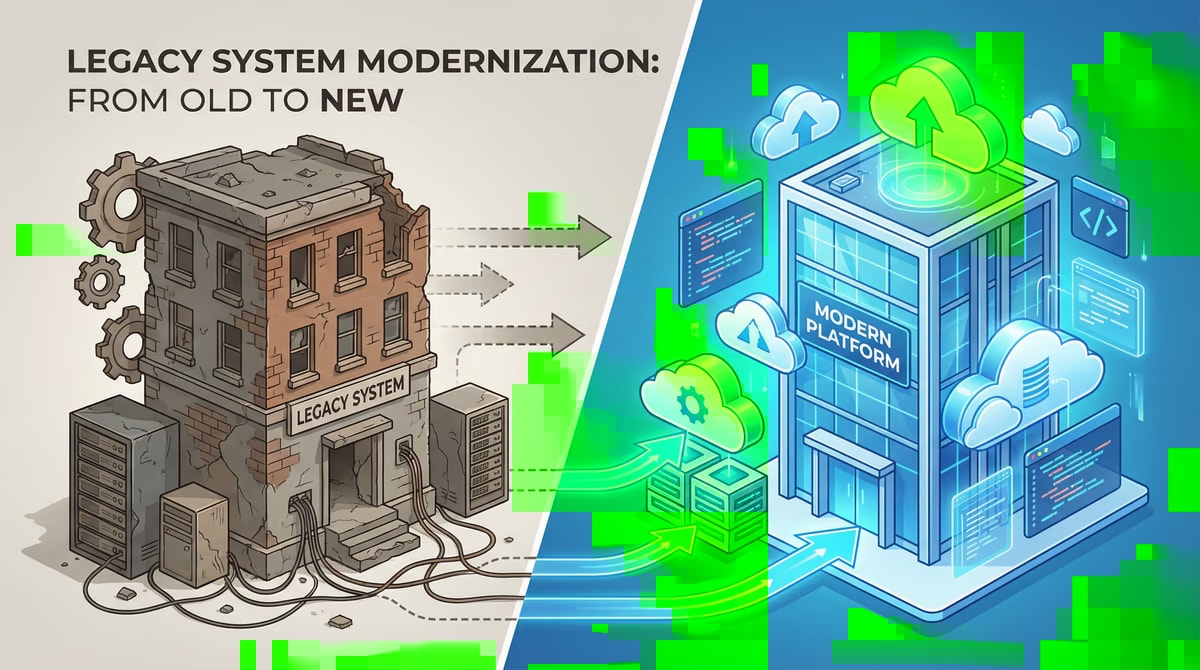
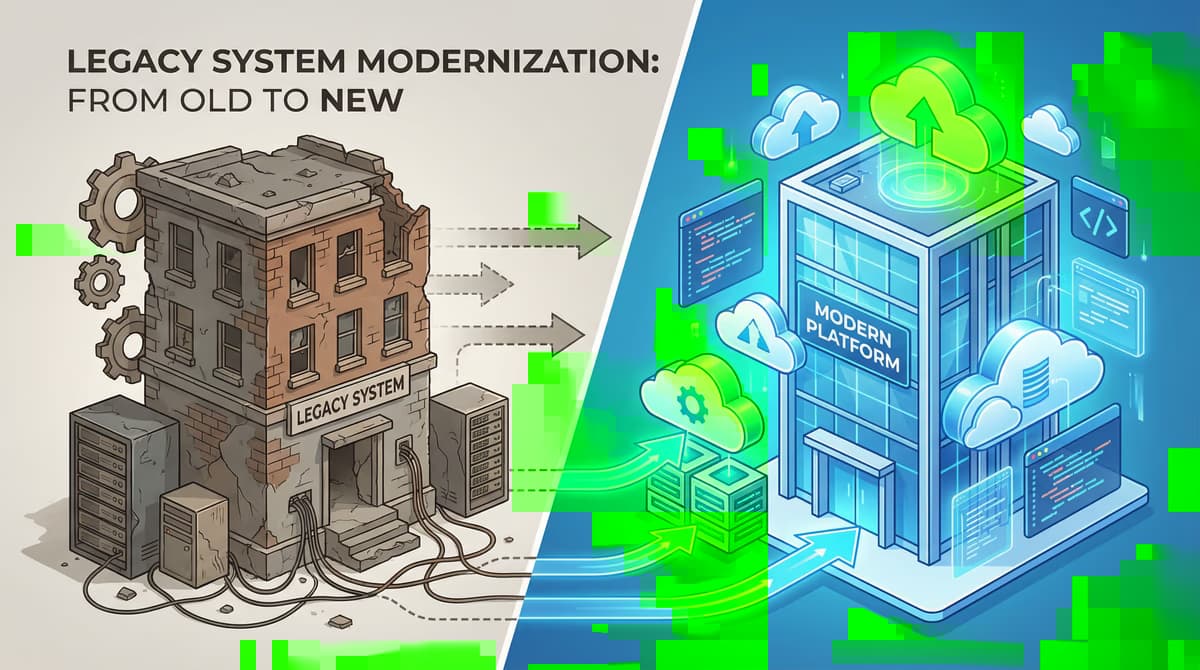
A software migration is a complex process in which data, applications and entire system landscapes are moved from one environment to another.

During this transition, your most valuable corporate resources – Your data – especially vulnerable. Misconfigurations, insufficient encryption or poor identity and access management can have catastrophic consequences.

A successful project stands and therefore falls not only with the technical implementation, but decisively with a well-thought-out security strategy that accompanies the entire migration process from the beginning to the end.

The most common safety risks

Short: Every migration is unique, but the potential security risks are often the same.

Every migration is unique, but the potential security risks are often the same. An awareness of these dangers is the first step to effectively address them.

## Datapanning and loss

Short: The biggest risk is unauthorized access to or loss of sensitive data during transmission.

The biggest risk is unauthorized access to or loss of sensitive data during transmission.

Without a continuous encryption of data – both in transit and in rest (at rest) – they are an easy target for attackers.

## Unsafe interfaces and APIs

Short: Modern applications communicate via APIs.

Modern applications communicate via APIs. If these interfaces are not sufficiently secured, they can serve as a gateway for attacks on the new infrastructure.

Careful testing and securing of all APIs is therefore essential.

## Misconfigurations of the New EnvironmentIn the case of migration to the cloud, misconfiguration is one of the most common causes of security incidents. Wrongly configured permissions, open storage bugs or weak network settings can expose sensitive systems unprotected on the Internet.

## Inappropriate identity and access management (IAM)

Short: Who has access to what?

Who has access to what? This question must be clearly regulated during and after migration.

If old permissions are taken over unreflected or new ones are too generous, the risk of insider threats and unauthorized access increases.

Best Practices for Safe Software Migration

Short: Safe migration requires a proactive and multi-stage approach.

Safe migration requires a proactive and multi-stage approach. The following best practices help you minimize the risks and lead your project to success.

## Phase 1: Complete planning and analysis

Short: A solid preparation is half the rent.

A solid preparation is half the rent. Take enough time to carry out a detailed inventory of your existing systems, data and dependencies.

Conduct a thorough risk assessment to identify potential vulnerabilities and plan countermeasures. Also clarify all relevant compliance requirements (e.g. GDPR) to ensure that the new environment meets all legal requirements.

## Phase 2: Safe implementation of migration

Short: During the actual migration, the protection of data is the focus.

During the actual migration, the protection of data is the focus. Ensure that all data transfers take place via encrypted channels.

Implement a strict identity and access management based on the “Least Privilege” principle from the start, where users only receive the permissions they need for their tasks.

## Phase 3: Validation and continuous monitoring

Short: After migration is before monitoring.

After migration is before monitoring. Check the new environment with complete security tests, including penetration tests, to expose remaining vulnerabilities.

Implement seamless monitoring and logging to quickly detect and respond to suspicious activities.

A solid emergency plan (Incident Response Plan) is crucial to be able to act quickly and coordinated in the event of a safety incident.

Checklist for your safe migration

Short: The following table summarizes the most important security points for each phase of your Software migration and serves as a practical checklist.

The following table summarizes the most important security points for each phase of your Software migration and serves as a practical checklist.

Phase Priority Important security measures
Planning Analysis & Strategy - Conduct risk assessment
data classify and inventory
compliance requirements (GDPR, etc.) check
-** Migration
** Reproduction Validation & operation - Set up complete safety tests (e.g. penetration tests)
- Complete monitoring and logging
emergency plan (Incident Response) establish
- Regular security audits

Conclusion: With the right partner on the safe side

Short: A software migration is a great opportunity to modernise and improve your IT infrastructure.

A software migration is a great opportunity to modernise and improve your IT infrastructure. However, the associated safety risks must not be underestimated.

A proactive, well planned security strategy is not an optional add-on, but a fundamental part of every successful migration project.

The complexity of a secure migration can be overwhelming. Cooperation with an experienced partner is crucial here.

Groenewold IT Solutions has the expertise and experience of many successful migration projects to safely accompany you through the entire process.

From initial planning to secure implementation to continuous monitoring of your new system landscape – we ensure that your migration becomes not only functional but also safe to succeed.

Contact us to learn how to secure your next migration project.


**Find out our Individual software development and how we can support your company.

Next consultation appointment →

Frequently Asked Questions (FAQ)

What is this article about: “Software Migration: How to master security risks”?

This article summarizes practical aspects of Software Migration: How to master security risks for decision-makers and delivery teams.

In short: In today’s rapidly changing digital landscape, the Software migration is not an “ob” for many companies, but a “can”. Whether it's changing to the cloud, the modernization...

Who benefits most from the content described here?

It is especially relevant for organizations in Softwareentwicklung that need reliable systems, clear interfaces, and predictable delivery — from mid-market teams to specialized departments.

How does this topic fit into an IT or digital strategy?

You can map the topic to service building blocks such as custom software and delivery support: architecture reviews and iterative rollout reduce risk and rework. For multi-system landscapes, IT consulting and architecture helps align vendors and internal teams.

What are sensible next steps if we need support?

For architecture, implementation, or a second expert opinion, book a free initial consultation — including timeline and interface alignment.

References and further reading

Short: The following independent references complement the topics in this article:

The following independent references complement the topics in this article:

About the author

Björn Groenewold
Björn Groenewold(Dipl.-Inf.)

Managing Director of Groenewold IT Solutions GmbH and Hyperspace GmbH

Since 2009 Björn Groenewold has been developing software solutions for the mid-market. He is Managing Director of Groenewold IT Solutions GmbH (founded 2012) and Hyperspace GmbH. As founder of Groenewold IT Solutions he has successfully supported more than 250 projects – from legacy modernisation to AI integration.

Software ArchitectureAI IntegrationLegacy ModernisationProject Management

Blog recommendations

Related articles

These posts might also interest you.

Altsystem Migration: Avoid Frequent Errors - Groenewold IT Solutions
Softwareentwicklung

Altsystem migration: Avoid frequent errors

The digital transformation is in full swing and forces companies to continually modernise their IT infrastructure. A central component here is the Altsystem migration, so the...

8 min read

Free download

Checklist: 10 questions before software development

Key points before you start: budget, timeline, and requirements.

Get the checklist in a consultation

Relevant next steps

Related services & solutions

Based on this article's topic, these pages are often the most useful next steps.

Related comparison

More on this topic

More on Softwareentwicklung and next steps

This article is in the Softwareentwicklung topic. In our blog overview you will find all articles; under category Softwareentwicklung more posts on this subject.

For topics like Softwareentwicklung we offer matching services – from app development and AI integration to legacy modernisation and maintenance. We describe typical use cases under solutions. Our cost calculators give initial estimates. Key terms are in the IT glossary. Books and long-form guides appear on the publications page; deeper articles live under topics.

If you have questions about this article or want a non-binding discussion about your project, you can book a consultation or reach us via contact. We usually respond within one working day.

Next Step

Questions about this topic? We're happy to help.

Our experts are available for in-depth conversations – practical and without obligation.

30 min strategy call – 100% free & non-binding

ip stresser
Article: Software Migration: How to master security risks
🇩🇪
Software Migration: How to master security risks - Groenewold IT Solutions

Software Migration: How to master security risks

Softwareentwicklung • 19 February 2026

As of: 19 June 2026 · Reading time: 6 min

Teilen:

Key takeaways

  • In today’s rapidly changing digital landscape, the **Software migration** is not an “ob” for many companies, but a “can”.
  • Whether it's changing to the cloud, the modernization...

In today’s rapidly changing digital landscape, the **Software migration** is not an “ob” for many companies, but a “can”. Whether it's changing to the cloud, the modernization...

Good software is not an accident—it comes from a structured development process with clear quality standards.

Björn Groenewold, Managing Director, Groenewold IT Solutions

**The most important thing in the short term:**The biggest security risks in software migration are unencrypted data transfers, orphaned access rights in the old system, missing security tests in the new environment and inadequate rollback strategies.

A security first approach with penetration tests, access audits and encrypted data transmission before, during and after migration is essential.

In today’s rapidly changing digital landscape, the Software migration is not an “ob” for many companies, but a “can”.

Whether it comes to changing to the cloud, modernising outdated systems or consolidating platforms – a carefully planned migration is the key to more efficiency, scalability and competitiveness.

But while the focus is often on functionality and schedule, a crucial aspect is often neglected: security.

Insecure migration can not only lead to data loss and downtime, but also open sensitive vulnerabilities that open cyber criminal doors and gates.

Why the security of software migration is crucial

Short: Executive answer: In today’s rapidly changing digital landscape, the Software migration is not an “ob” for many companies, but a “can”.

Executive answer: In today’s rapidly changing digital landscape, the Software migration is not an “ob” for many companies, but a “can”.

Decision-makers exploring Software Migration: How to master security risks can use Legacy Modernisation, Cost Calculator: Legacy Modernisation, Solution: Legacy Reduction sowie Monolith vs. Microservices as structured entry points.

A software migration is a complex process in which data, applications and entire system landscapes are moved from one environment to another.

During this transition, your most valuable corporate resources – Your data – especially vulnerable. Misconfigurations, insufficient encryption or poor identity and access management can have catastrophic consequences.

A successful project stands and therefore falls not only with the technical implementation, but decisively with a well-thought-out security strategy that accompanies the entire migration process from the beginning to the end.

The most common safety risks

Short: Every migration is unique, but the potential security risks are often the same.

Every migration is unique, but the potential security risks are often the same. An awareness of these dangers is the first step to effectively address them.

## Datapanning and loss

Short: The biggest risk is unauthorized access to or loss of sensitive data during transmission.

The biggest risk is unauthorized access to or loss of sensitive data during transmission.

Without a continuous encryption of data – both in transit and in rest (at rest) – they are an easy target for attackers.

## Unsafe interfaces and APIs

Short: Modern applications communicate via APIs.

Modern applications communicate via APIs. If these interfaces are not sufficiently secured, they can serve as a gateway for attacks on the new infrastructure.

Careful testing and securing of all APIs is therefore essential.

## Misconfigurations of the New EnvironmentIn the case of migration to the cloud, misconfiguration is one of the most common causes of security incidents. Wrongly configured permissions, open storage bugs or weak network settings can expose sensitive systems unprotected on the Internet.

## Inappropriate identity and access management (IAM)

Short: Who has access to what?

Who has access to what? This question must be clearly regulated during and after migration.

If old permissions are taken over unreflected or new ones are too generous, the risk of insider threats and unauthorized access increases.

Best Practices for Safe Software Migration

Short: Safe migration requires a proactive and multi-stage approach.

Safe migration requires a proactive and multi-stage approach. The following best practices help you minimize the risks and lead your project to success.

## Phase 1: Complete planning and analysis

Short: A solid preparation is half the rent.

A solid preparation is half the rent. Take enough time to carry out a detailed inventory of your existing systems, data and dependencies.

Conduct a thorough risk assessment to identify potential vulnerabilities and plan countermeasures. Also clarify all relevant compliance requirements (e.g. GDPR) to ensure that the new environment meets all legal requirements.

## Phase 2: Safe implementation of migration

Short: During the actual migration, the protection of data is the focus.

During the actual migration, the protection of data is the focus. Ensure that all data transfers take place via encrypted channels.

Implement a strict identity and access management based on the “Least Privilege” principle from the start, where users only receive the permissions they need for their tasks.

## Phase 3: Validation and continuous monitoring

Short: After migration is before monitoring.

After migration is before monitoring. Check the new environment with complete security tests, including penetration tests, to expose remaining vulnerabilities.

Implement seamless monitoring and logging to quickly detect and respond to suspicious activities.

A solid emergency plan (Incident Response Plan) is crucial to be able to act quickly and coordinated in the event of a safety incident.

Checklist for your safe migration

Short: The following table summarizes the most important security points for each phase of your Software migration and serves as a practical checklist.

The following table summarizes the most important security points for each phase of your Software migration and serves as a practical checklist.

Phase Priority Important security measures
Planning Analysis & Strategy - Conduct risk assessment
data classify and inventory
compliance requirements (GDPR, etc.) check
-** Migration
** Reproduction Validation & operation - Set up complete safety tests (e.g. penetration tests)
- Complete monitoring and logging
emergency plan (Incident Response) establish
- Regular security audits

Conclusion: With the right partner on the safe side

Short: A software migration is a great opportunity to modernise and improve your IT infrastructure.

A software migration is a great opportunity to modernise and improve your IT infrastructure. However, the associated safety risks must not be underestimated.

A proactive, well planned security strategy is not an optional add-on, but a fundamental part of every successful migration project.

The complexity of a secure migration can be overwhelming. Cooperation with an experienced partner is crucial here.

Groenewold IT Solutions has the expertise and experience of many successful migration projects to safely accompany you through the entire process.

From initial planning to secure implementation to continuous monitoring of your new system landscape – we ensure that your migration becomes not only functional but also safe to succeed.

Contact us to learn how to secure your next migration project.


**Find out our Individual software development and how we can support your company.

Next consultation appointment →

Frequently Asked Questions (FAQ)

What is this article about: “Software Migration: How to master security risks”?

This article summarizes practical aspects of Software Migration: How to master security risks for decision-makers and delivery teams.

In short: In today’s rapidly changing digital landscape, the Software migration is not an “ob” for many companies, but a “can”. Whether it's changing to the cloud, the modernization...

Who benefits most from the content described here?

It is especially relevant for organizations in Softwareentwicklung that need reliable systems, clear interfaces, and predictable delivery — from mid-market teams to specialized departments.

How does this topic fit into an IT or digital strategy?

You can map the topic to service building blocks such as custom software and delivery support: architecture reviews and iterative rollout reduce risk and rework. For multi-system landscapes, IT consulting and architecture helps align vendors and internal teams.

What are sensible next steps if we need support?

For architecture, implementation, or a second expert opinion, book a free initial consultation — including timeline and interface alignment.

References and further reading

Short: The following independent references complement the topics in this article:

The following independent references complement the topics in this article:

About the author

Björn Groenewold
Björn Groenewold(Dipl.-Inf.)

Managing Director of Groenewold IT Solutions GmbH and Hyperspace GmbH

Since 2009 Björn Groenewold has been developing software solutions for the mid-market. He is Managing Director of Groenewold IT Solutions GmbH (founded 2012) and Hyperspace GmbH. As founder of Groenewold IT Solutions he has successfully supported more than 250 projects – from legacy modernisation to AI integration.

Software ArchitectureAI IntegrationLegacy ModernisationProject Management

Blog recommendations

Related articles

These posts might also interest you.

Altsystem Migration: Avoid Frequent Errors - Groenewold IT Solutions
Softwareentwicklung

Altsystem migration: Avoid frequent errors

The digital transformation is in full swing and forces companies to continually modernise their IT infrastructure. A central component here is the Altsystem migration, so the...

8 min read

Free download

Checklist: 10 questions before software development

Key points before you start: budget, timeline, and requirements.

Get the checklist in a consultation

Relevant next steps

Related services & solutions

Based on this article's topic, these pages are often the most useful next steps.

Related comparison

More on this topic

More on Softwareentwicklung and next steps

This article is in the Softwareentwicklung topic. In our blog overview you will find all articles; under category Softwareentwicklung more posts on this subject.

For topics like Softwareentwicklung we offer matching services – from app development and AI integration to legacy modernisation and maintenance. We describe typical use cases under solutions. Our cost calculators give initial estimates. Key terms are in the IT glossary. Books and long-form guides appear on the publications page; deeper articles live under topics.

If you have questions about this article or want a non-binding discussion about your project, you can book a consultation or reach us via contact. We usually respond within one working day.

Next Step

Questions about this topic? We're happy to help.

Our experts are available for in-depth conversations – practical and without obligation.

30 min strategy call – 100% free & non-binding

ip stresser