Zapier for efficient business processes
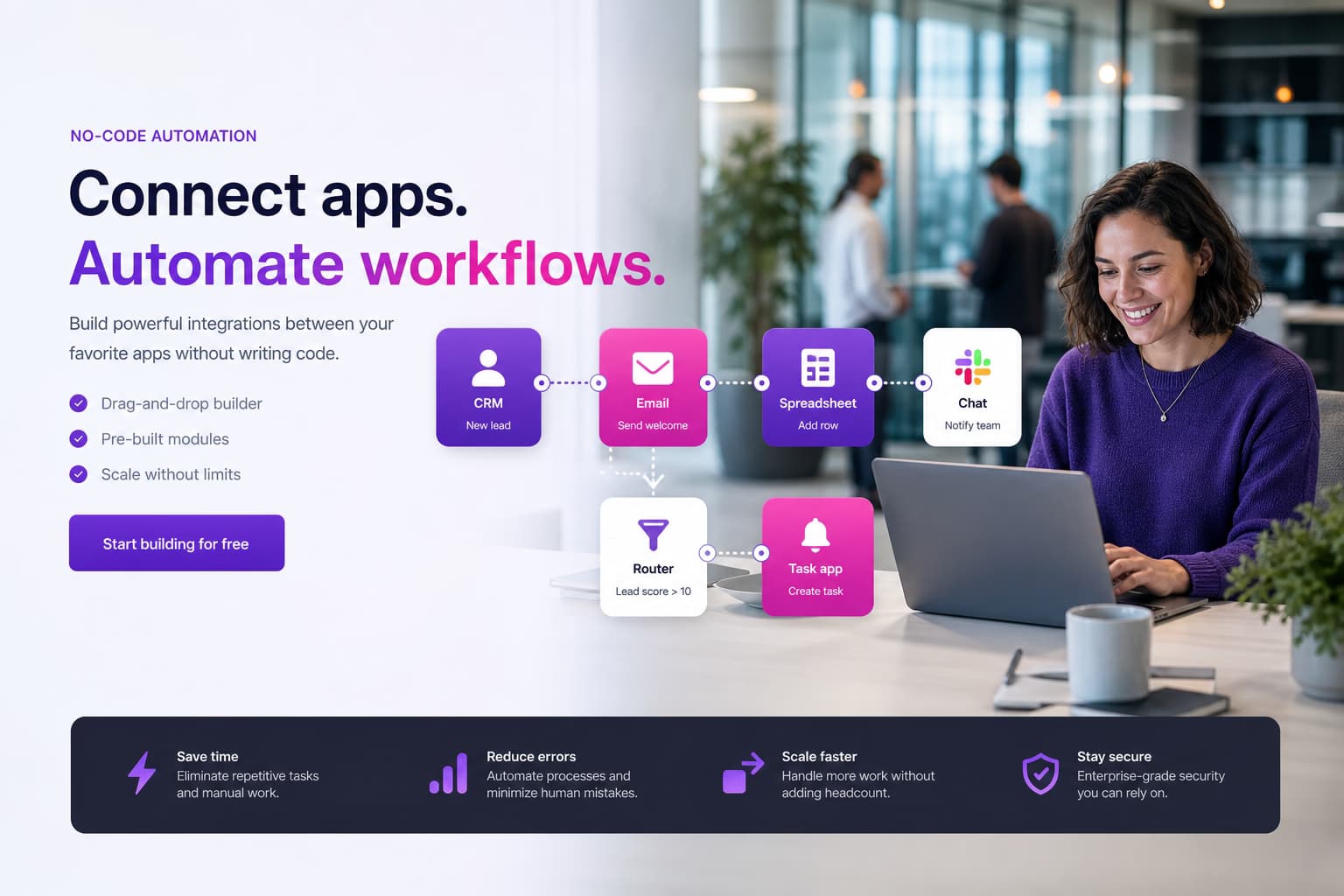
Zapier connects 6,000+ apps via no-code Zaps—we structure your automations with governance, error paths and a migration path to n8n or Make when privacy or volume requires it.
For mid-sized companies: structure Zaps, control task spend and switch to n8n/Make when needed – delivery and project ownership from Germany (Leer/East Frisia), named contacts, no offshore guesswork.
- 250+ delivered projects
- 5.0 stars on Google
- 100% engineering in Germany
Zapier fits fast SaaS-to-SaaS automation—we keep Zaps documented, monitored and cost-effective.
Zapier: context, benefits and typical use cases
Zapier is the best-known entry to workflow automation: triggers, filters and actions connect CRM, forms, email and shops without code. Typical Zaps: new lead → CRM record, invoice → accounting, support ticket → Slack channel.
Without structure you get parallel Zaps, opaque task costs and dependencies on individuals. We inventory existing Zaps, consolidate duplicates and define naming, owners and approvals.
Zapier complements Make, n8n and Power Automate: Zapier for the fastest start, Make/n8n when router logic or self-hosting matter more.
Our services at a glance
Zap audit & consolidation
Inventory, remove duplicates, prioritise critical paths.
CRM & sales
HubSpot, Pipedrive, Salesforce—lead routing and follow-ups.
Forms & support
Typeform, Google Forms, Zendesk—tickets and notifications.
Light e-commerce
Shopify, WooCommerce—order and customer triggers without core ERP logic.
Errors & monitoring
Zap history, alerts and escalation on failed tasks.
Migration
Zapier → n8n/Make when GDPR, volume or cost require it.
When companies should prioritise Zapier
Zapier pays off when business units need fast first automations without IT and data may be processed in US SaaS. Limits appear with high task volume, personal core data or complex router logic—then we assess Make or n8n.
We do not recommend “Zapier for everything” but a roadmap: quick wins in Zapier, sensitive processes on controllable platforms.
We explain the key terms in depth in our glossary: Make automation, Low-code/no-code.
Approach: analysis, design, implementation and operations
Audit
Zaps, owners, task usage and privacy per process.
Design
Consolidated Zaps with tests and error paths.
Rollout
Go-live with monitoring and documentation.
Operations
Reviews, cost control and migration options.

„Zapier is the fastest start—without audit and task monitoring, the advantage quickly becomes a cost and maintenance problem.“
Cost, risks, quality assurance and ongoing optimisation
Task-based billing grows with every filter and branch. We optimise Zaps (fewer steps, batching, scheduling) and set budgets with alerts.
Privacy: document DPA, data categories and retention per Zap—partial migration to self-hosted n8n when needed.
- Zap inventory and owners
- Task cost visibility
- Error alerts
- GDPR check per process
- Migration path to n8n/Make
Comparison: /en/comparisons/n8n-vs-zapier-vs-make. Costs: /en/costs/automation.
Frequently asked questions
FAQ: Zapier for business
Getting started and benefits
What does Zapier mean for businesses?
Zapier connects cloud applications via no-code workflows (Zaps) without your own servers or developer teams for standard integrations.
For mid-market firms that means faster lead handling, less copy-paste between CRM and email tools and traceable trigger-action chains. Governance is key—otherwise parallel Zaps grow unchecked. We start with an audit and prioritise processes by ROI and privacy.
When does Zapier pay off in the mid-market?
Zapier pays off at moderate task volumes, clear SaaS processes and when business units should extend automations themselves.
It is less suitable for highly sensitive personal data without US cloud or very complex branching—we then recommend Make or n8n. We compare cost per task with alternatives and set stop criteria before scaling licences.
How does a Zapier project run technically and organisationally?
First we inventory existing Zaps, data flows and owners.
Then we consolidate duplicates, add missing error notifications and test with real data. Rollout happens per use case with documentation for IT and business. Organisationally we clarify approvals and who may create new Zaps—similar to a small centre of excellence.
Cost, risk and integration
What cost and risk factors should we watch with Zapier?
Task-based pricing rises with complexity and frequency; unplanned Zaps can blow budgets.
Risks: missing error handling, undocumented dependencies and privacy with US processing. We set monitoring, budget alerts and regular reviews. Total cost guidance: /en/costs/automation.
How is Zapier integrated securely into existing systems?
We use OAuth with minimal scopes, separate test and production Zaps and document data categories per integration.
Critical ERP or HR processes are checked for DPA and retention—parts may move to /en/services/n8n-workflows or /en/services/api-integration. Zapier stays where it is economical and compliance-ready.
Operations and handover
How is Zap task consumption planned?
We model triggers, executed actions, branches, retries and expected cases.
Billing follows the current terms of the selected Zapier plan.
What does a Zapier audit cover?
It reviews ownership, connections, filters, error behaviour, duplicate protection, task use and documentation, resulting in prioritised changes.
When do you recommend migration?
Only when requirements, operations, privacy or cost are not served appropriately by Zapier.
Migration is assessed against effort, never treated as a default.
Scope: Zapier vs Make, n8n, Power Automate and RPA
Zapier, no-code Zaps and fast SaaS onboarding – not Make scenarios on Make automation, not self-hosted workflows on n8n and not desktop RPA on robotic process automation.
Comparison: n8n vs Zapier vs Make. Hub: workflow automation.
Related paths and adjacent topics
Service overview: Automation & workflows (overview)
More automation & workflow services
Adjacent service categories
Next step with Groenewold IT Solutions
We review your Zap landscape and outline quick wins, cost and a clean migration path.
Your Zap and its task
A qualified website lead triggers the Zap. After validation and normalisation, it creates a CRM contact, opens a sales task and confirms processing. Invalid email or an unavailable CRM routes the case to a controlled error queue.
Errors, retries and task consumption
Each executed action may affect consumption, so filters, paths and retries are modelled with realistic volumes. We measure successful runs, failures, duplicates, tasks per case and manual recovery. Vendor prices and limits are checked when quoting and are not guaranteed.
Audit, rebuild and handover
We audit existing Zaps or rebuild them in a customer-owned account. Handover covers access, owners, flow diagram, error path and operating checklist. Make scenarios or n8n workflows are recommended only for a substantiated need; our automation consulting frames the choice.

Up to 50% of your investment via BAFA/KfW
Use our funding calculator to see which government grants may apply to your project.
Björn Groenewold – Managing Director