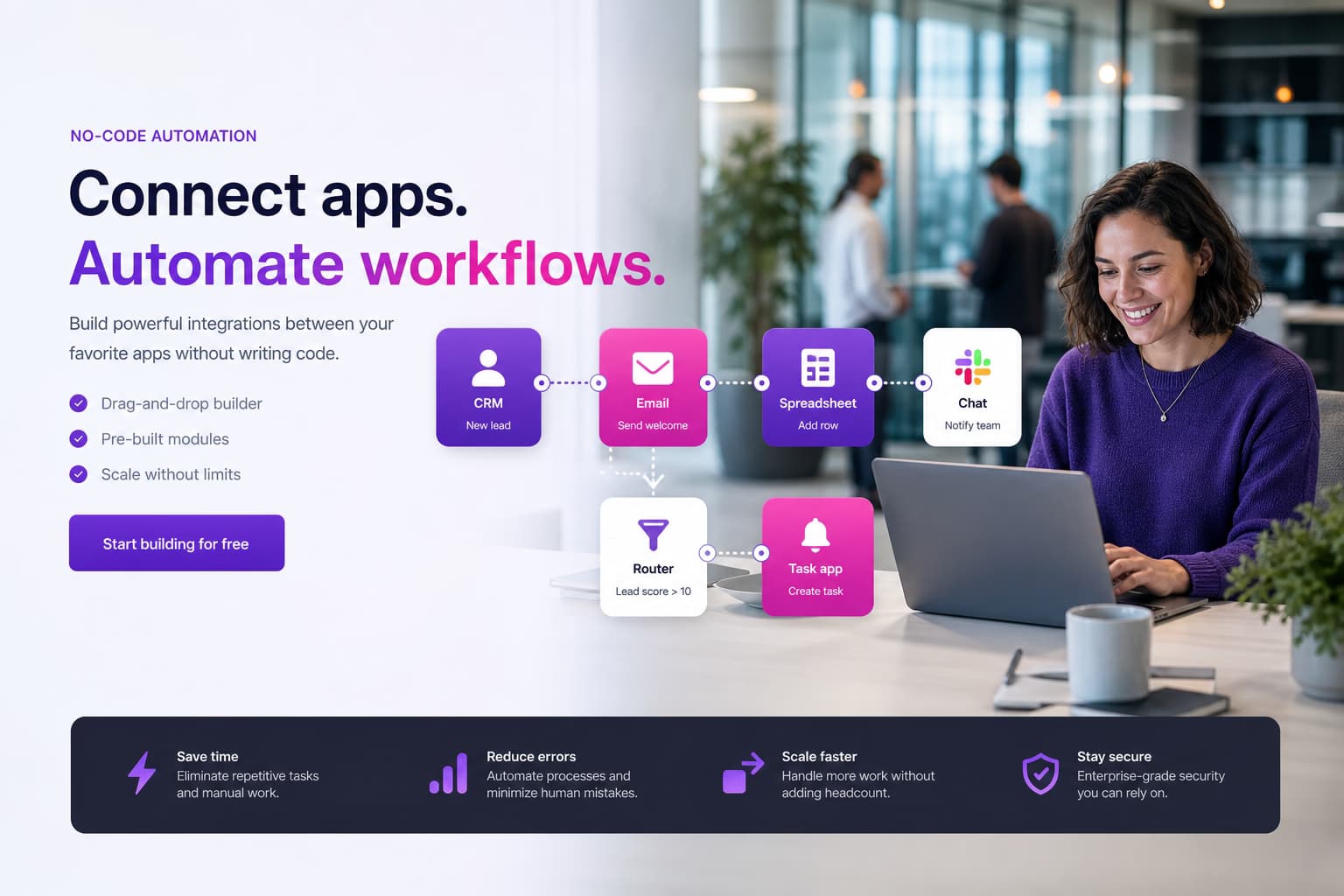
Make automation for efficient business processes
We implement Make scenarios for lead routing, e-commerce, CRM sync and reporting: visually extensible for business teams, with error paths, operations monitoring and clear naming standards.
For mid-sized companies: visual scenarios for marketing, sales and ops—with governance – delivery and project ownership from Germany (Leer/East Frisia), named contacts, no offshore guesswork.
- 250+ delivered projects
- 5.0 stars on Google
- 100% engineering in Germany
Make (formerly Integromat) fits fast SaaS-to-SaaS automation—when data may be processed in the cloud.
Make automation: context, benefits and typical use cases
Make connects 1,500+ cloud apps with a visual scenario editor. Ideal for teams that want webhooks, filters, routers and iterators without developers—e.g. Shopify → CRM, Typeform → Slack, Google Sheets → Mailchimp.
We structure scenarios so errors are visible (error handlers, ops notifications), duplicates are avoided and operation credits stay predictable. Without governance, parallel scenarios and maintenance cost grow unchecked.
Make complements n8n or Power Automate: Make for fast SaaS chains, self-hosted n8n for sensitive data, Power Automate in the Microsoft stack.
Project references
Selected case studies from our project work
Documented examples with transparent evidence types — browse matching references or open the full case study.




Our services at a glance
Scenario design
Routers, filters, aggregators and error handlers for stable flows.
CRM & marketing
HubSpot, Pipedrive, Mailchimp, ActiveCampaign—lead scoring and nurturing.
E-commerce
Shopify, WooCommerce, Shopware—orders, stock, invoice triggers.
Operations monitoring
Slack/Teams alerts on errors, credit warnings and run logs.
Governance & docs
Naming, folder structure, access roles and handover to business teams.
Migration & audit
Consolidate and optimise existing Zapier/Make scenarios.
When companies should prioritise Make automation
Make bills by operations—complex scenarios with many modules multiply cost fast. We optimise scenarios (batching, scheduling, early filters) and size plans to volume.
For personal or core ERP data we check if Make is legally viable—otherwise we move sensitive parts to self-hosted n8n.
We explain the key terms in depth in our glossary: Make automation, Low-code/no-code.
Approach: analysis, design, implementation and operations
Use case
Top 3 scenarios with ROI and privacy check.
Build
Scenarios with error handling and test data.
Handover
Docs, monitoring and training for extensions.

„Make is fast—but without error handlers and credit monitoring, quick wins become expensive fires.“
Integration into existing systems, data flows and processes
We start with scenarios that relieve immediately: remove double data entry, stop manual lead assignment, distribute reports automatically.
Shop and marketing teams benefit most; we review core ERP processes for API or n8n alternatives.
- Visual scenarios for business teams
- Error handlers & ops alerts
- Credit optimisation
- CRM, shop and form integration
- Combined with n8n/Power Automate
Costs: /en/costs/automation.
Frequently asked questions
FAQ: Make automation
Make vs alternatives
Make or Zapier?
Make often offers richer router/iterator logic and cheaper operations at volume.
Zapier is simpler for beginners. We recommend by scenario complexity and privacy—not marketing.
Is Make GDPR-compliant?
Make (Celonis) offers EU processing and DPAs—we still assess each process for SaaS viability.
For highly sensitive data we recommend self-hosted n8n.
What does Make implementation cost?
First production scenarios often €4,000–10,000; multiple departments and governance setup accordingly higher.
Make operation credits are ongoing—we optimise scenarios for predictable usage. Guidance: /en/costs/automation.
Operations, credits and scaling
How do we avoid uncontrolled scenario growth?
Naming conventions, folder structure, owners per scenario and regular audits.
We document dependencies and retire duplicates. Without governance parallel flows for the same process emerge—expensive in maintenance and credits.
Can business teams extend Make themselves?
Yes—that is a Make strength.
We train power users, set sandbox scenarios and approval workflows. Critical integrations (finance, HR) stay with IT or us—with versioning and monitoring.
Make vs n8n – when which tool?
Make for fast SaaS chains (marketing, e-commerce, CRM) in the cloud.
Self-hosted n8n when data must stay in Germany or complex API orchestration without operation limits. Both can run in parallel—we avoid tool duplication per process.
Error handling, costs and handover
How do Make scenarios handle invalid records?
We define retries, logging and alerts for each module.
Ambiguous records enter a review queue instead of passing through unnoticed.
Who owns the account after handover?
The customer should own the Make account and production credentials.
We document scenarios, connections, owners and restart procedures.
How are Make usage costs estimated?
We model expected executions, branches and retries using the manufacturer's current billing terminology.
The selected plan and current vendor terms remain decisive.
Scope: Make automation vs n8n, Power Automate and RPA
Make (Integromat), no-code scenarios and fast SaaS automation – not self-hosted n8n on n8n workflows, not M365 flows on Power Automate and not enterprise RPA on RPA implementation.
ROI: automation ROI calculator. Service: automation & workflow optimization. Overview: automation category.
Related paths and adjacent topics
Service overview: Automation & workflows (overview)
More automation & workflow services
Adjacent service categories
Next step with Groenewold IT Solutions
We identify the fastest automation wins for marketing and sales.
Example Make process: lead to CRM
A form triggers the scenario. Make validates required fields, creates the CRM contact and alerts sales. A timeout causes a limited retry; invalid data creates a review item for the process owner. Representative test cases precede production release.
Error paths and operating responsibility
Monitoring, retries and manual recovery are agreed per connection. Credentials are kept out of visible modules. Where strict data contracts matter, we assess a custom API integration. Broader discovery belongs to our automation consulting.
Usage, measurement and handover
Vendor charges remain separate from design, implementation and support. Before go-live, we baseline expected runs, billing units, error rate and handling time. We only recommend alternatives such as self-hosted n8n workflows or Zapier automation after a technical and commercial comparison.

Up to 50% of your investment via BAFA/KfW
Use our funding calculator to see which government grants may apply to your project.
Björn Groenewold – Managing Director
Service cluster
Related services for Automation & workflows: choose the right method
A guide to core-process automation, RPA, Power Automate, fair-code n8n, Make and process mining with transparent planning assumptions.