Robotic process automation for efficient business processes
We implement robotic process automation with UiPath and Blue Prism: from process analysis through bot development to a production orchestrator—including permissions, logging and exception handling for audit-ready workflows.
For mid-sized companies: UiPath and Blue Prism with orchestrator, audit trail and measurable ROI – delivery and project ownership from Germany (Leer/East Frisia), named contacts, no offshore guesswork.
- 250+ delivered projects
- 5.0 stars on Google
- 100% engineering in Germany
RPA automates repetitive UI clicks—sensible when volume is high and APIs are unavailable.
Robotic process automation: context, benefits and typical use cases
Robotic process automation fits rule-based, high-volume work on desktop UIs, legacy clients or web apps without stable APIs. Typical candidates: data entry between ERP and line-of-business tools, invoice approvals with fixed rules or overnight accounting runs.
We deploy UiPath and Blue Prism where enterprise requirements for permissions, orchestrator, audit logs and change management matter. Every bot ships with documented exceptions, escalation paths and monitoring—not an undocumented script on a single PC.
RPA complements API-first integration: where interfaces are not yet economical, bots bridge the gap. In parallel we plan replacement with stable APIs so you do not depend on UI automation forever.
Project references
Selected case studies from our project work
Documented examples with transparent evidence types — browse matching references or open the full case study.


Our services at a glance
Process & ROI analysis
Prioritise automation candidates by volume, rule stability and error cost—before licence decisions.
Bot design & development
UiPath/Blue Prism workflows with exception handling, queues and retry logic for production.
Orchestrator & scheduling
Central control, load distribution, credential vault and release management via UiPath Orchestrator or Blue Prism Control Room.
Compliance & audit trail
Logging, role models and approvals aligned with audit, ISO or industry requirements.
Hypercare & maintenance
Monitoring, bot health checks and updates when target application UIs change.
CoE setup
Center of Excellence: standards, templates and training so your team scales bots in a controlled way.
When companies should prioritise robotic process automation
UiPath excels at fast bot development, a strong community and desktop automation—often first choice for heterogeneous Windows estates. Blue Prism historically offers stricter enterprise governance and suits regulated industries with heavy compliance needs.
We do not recommend one tool by default; we assess your IT landscape, operations team, licence model and integration needs. In mixed architectures we orchestrate multiple platforms via APIs and central monitoring dashboards.
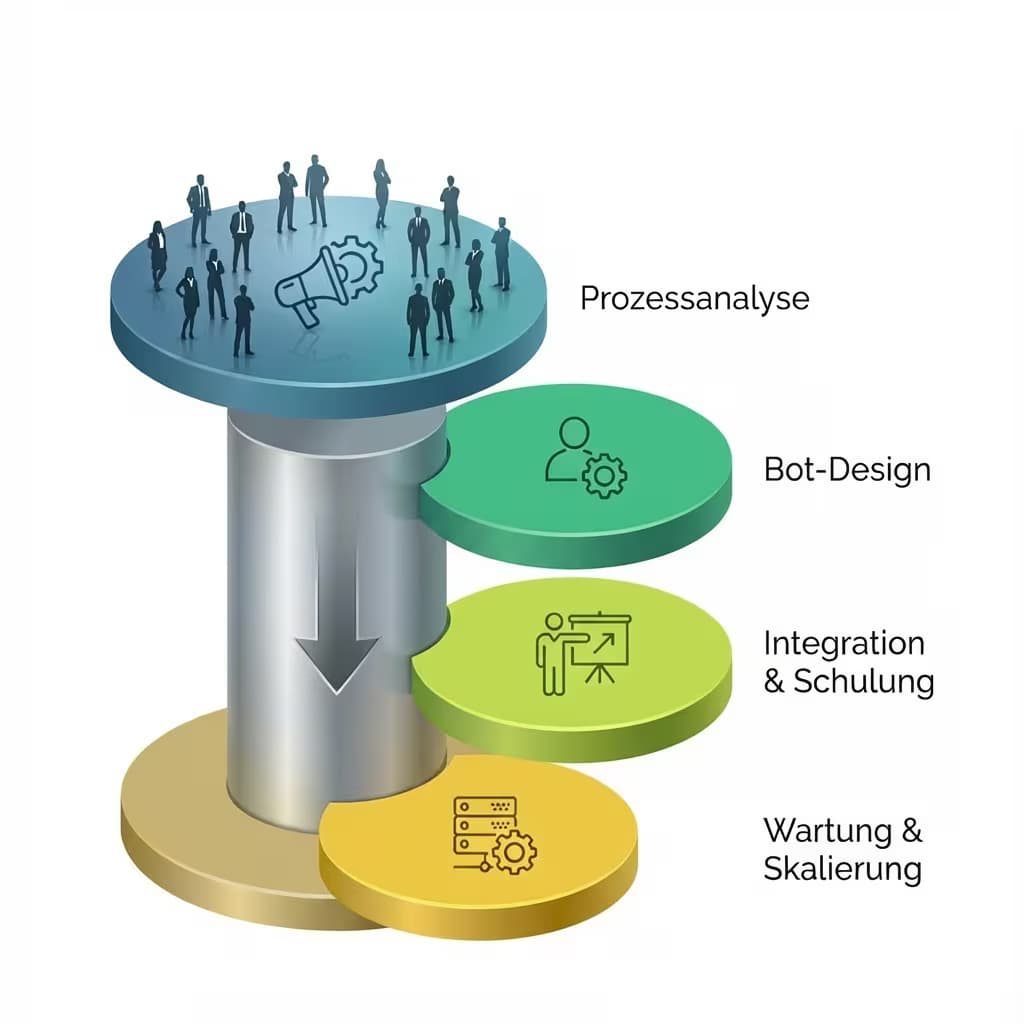
Approach: analysis, design, implementation and operations
Discovery
Process capture, ROI estimate and go/no-go per candidate.
Design
Define happy path, exceptions, permissions and test data.
Build
Bot development in dev/test with peer review.
Pilot
Limited volume, KPI measurement, business feedback.
Scale
Production rollout, CoE standards and handover to operations.

„RPA pays off only after a process check: volume, rules, interfaces. Without that order, teams buy licences for bots that run half a day.“
Integration into existing systems, data flows and processes
Successful RPA projects start small: one high-volume process with clear rules and measurable benefit. Only when pilot and KPIs hold do we scale to more bots and departments.
We document every bot so IT and business can trace changes—without dependency on a single developer.
- UiPath & Blue Prism implementation incl. orchestrator
- Exception handling and audit logs from day one
- ROI tracking and process mining preparation
- Training for citizen developers and IT operations
- Parallel planning for API replacement where sensible
Cost guidance: /en/costs/rpa-roi and /en/costs/automation. RPA vs API: /en/comparisons/rpa-vs-api-integration.
Frequently asked questions
FAQ: RPA implementation – common questions
Getting started and process selection
How do we know whether a process is suitable for RPA at all?
A good RPA candidate is clearly rule-based, runs frequently, always follows the same steps and uses digitally readable inputs.
The more exceptions, judgement calls or media breaks, the worse the fit. We assess your processes by volume, rule stability and error cost—grounded in /en/services/process-mining or a discovery workshop, before any licences are bought.
Do we have to clean up our processes before automating?
Partly: automating a chaotic process only cements the chaos.
We handle small clean-ups directly in the design and make larger structural issues visible instead of hiding them. Often only the analysis via /en/services/process-mining reveals where standardisation pays off—and where a bot delivers value immediately.
Should we start with a pilot or plan several bots at once?
We almost always recommend the pilot: one high-volume process with clear rules and measurable benefit.
Once pilot and KPIs hold, we scale to more bots and departments in a controlled way. This avoids costly misinvestments and builds solid internal arguments. For a first assessment use /en/project-check.
Is RPA worth it for smaller mid-market firms or only for large corporations?
RPA is no longer just for large corporations.
In the mid-market, bots pay off as soon as repetitive manual work occurs regularly—such as invoice intake or master data maintenance. What matters is process volume, not company size. For lean scenarios, /en/services/power-automate or /en/services/n8n-workflows are often the more economical choice.
Tools, cost and collaboration
How do we choose between UiPath, Blue Prism and alternatives?
We advise vendor-neutrally: UiPath excels at fast development and desktop automation, Blue Prism at strict enterprise governance in regulated industries.
For lighter workflows, Power Automate or open-source tools may suffice. We decide by IT landscape, licence budget and team skills—not by tool hype. Overview: /en/services/automation.
What costs arise on an ongoing basis besides development?
Beyond one-time bot development, there are recurring platform and licence costs (depending on bot count and term) plus maintenance effort—for example when target applications change.
We factor these follow-up costs in from the start. For a realistic total view with ROI, use /en/costs/rpa-roi and /en/costs/automation.
How much do we as the client need to contribute ourselves?
For good results we need access to the target systems, contacts in the business unit and clarity on the business rules including edge cases.
We handle the technical build, error handling and documentation. The more precisely you can describe the target process, the faster and more stable the bot runs in production.
Can we develop the bots further ourselves later?
Yes.
We document every bot so IT and business can trace changes—without dependency on a single developer. On request we train your team and build a Center of Excellence with standards and templates so you maintain and scale bots yourselves.
Alternatively, we provide maintenance and hypercare on an ongoing basis.
Operations, security and the future
What happens if a bot fails at night or on the weekend?
We give every bot clean error handling, restart logic and logging.
Via the Orchestrator or Control Room we run monitoring, alerts and defined escalation paths—if a job fails, it is reported and can be resumed in a controlled way.
So no bot runs blindly in the background, and your team always knows what happened.
How do we stay in control of many bots and prevent sprawl?
Bot sprawl arises without governance.
From day one we rely on central control via the orchestrator, consistent standards, versioning and a Center of Excellence. Every bot is documented, assigned an owner and traceable through audit logs.
So you scale in a controlled way instead of with undocumented scripts on single PCs. Strategic frame: /en/services/automation.
Is an RPA investment lost if we later introduce a new ERP?
Not necessarily.
RPA bridges the phase where stable interfaces are still missing or uneconomical. In parallel we plan—where sensible—the replacement with APIs so you do not depend on UI automation forever. With an ERP replacement, we then move the logic cleanly onto interfaces.
Background: /en/comparisons/rpa-vs-api-integration and /en/services/api-integration.
How do we prove internally that the automation paid off?
We define measurable KPIs before rollout—such as saved processing hours, error rate and lead time—and measure them in the pilot against the manual baseline.
This produces a solid business case for internal approvals. You compare investment and expected benefit beforehand via /en/costs/rpa-roi.
Operations and handover
When does RPA fit better than an API?
RPA can fit a stable, rule-based interface when no suitable API exists.
A reliable direct interface is usually easier to maintain.
What separates attended and unattended bots?
Attended bots assist users.
Unattended bots run under controlled schedules or events and require orchestration, technical accounts and monitoring.
What ongoing maintenance is required?
UI, permission and version changes can affect selectors and workflows.
Maintenance therefore covers monitoring, diagnosis, regression tests and controlled updates.
Scope: RPA implementation vs Power Automate, n8n and API integration
Focus here: robotic process automation, bots and orchestrator projects – not Microsoft 365 flows on Power Automate and not open-source orchestration on n8n workflows. Strategy overview: automation & workflow optimization.
Before rollout: process mining. Compare: RPA vs API integration. Overview: Automation & workflows.
Related paths and adjacent topics
Service overview: Automation & workflows (overview)
More automation & workflow services
Adjacent service categories
Next step with Groenewold IT Solutions
In one session we identify your strongest RPA candidates and outline effort, licensing and ROI.
Process fit without a suitable API
A bot may read structured order data from one application and enter it into a legacy desktop system when no suitable API exists. We first assess stable screens, unambiguous rules, expected volume and exceptions. Free-text decisions and frequently changing interfaces are warning signs.
Bot, orchestrator and error paths
Attended bots assist users; unattended bots use technical accounts and central control. Orchestration, access protection, logs and queues expose status and failures. For Microsoft-specific cases we compare Power Automate desktop flows.
Maintenance, operations and acceptance
UI changes may break selectors and are detected through monitoring and regression tests. Acceptance measures cover processed test cases, handled exceptions, runtime and manual recovery. Data-driven process analysis can prepare selection; wider strategy belongs to automation consulting. Permanent error-free operation is not guaranteed.

Up to 50% of your investment via BAFA/KfW
Use our funding calculator to see which government grants may apply to your project.
Björn Groenewold – Managing Director
Service cluster
Related services for Automation & workflows: choose the right method
A guide to core-process automation, RPA, Power Automate, fair-code n8n, Make and process mining with transparent planning assumptions.