
As of: 23 September 2026 · Reading time: 6 min
Key takeaways
- The answer depends on factors lacking in many comparisons: data volume, compliance requirements, utilisation patterns, personnel costs, growth path.
- This contribution provides a structured decision-making aid for German mid-sized businesses.
On-premise or cloud? The answer depends on factors lacking in many comparisons: data volume, compliance requirements, utilisation patterns, personnel costs, growth path. This contribution provides a structured decision-making aid for German mid-sized businesses.
“Digitalization is not an IT project—it is a business strategy.”
– Björn Groenewold, Managing Director, Groenewold IT Solutions
On-Premise vs. Cloud: Central Enterprise Decision Help
Short: On-Premise vs. Cloud – no decision splits central IT discussions as reliable as these.
On-Premise vs. Cloud – no decision splits central IT discussions as reliable as these. On the one hand: cloud enthusiasts who consider each local server as technical residue.
On the other hand, skeptics who do not want to give data into foreign hands for data protection and cost reasons.
The truth, as so often, is more nuanced. This post replaces opinions with criteria.
What is really meant by "On-Premise" and "Cloud"
On-Premise or Cloud? The answer depends on factors lacking in many comparisons: data volume, compliance needs, utilisation patterns, personnel costs, growth path.
To On-Premise vs. Cloud: Arrange decision-making aid for midsize companies cost calculator: legacymodernization, solution: legacy abbau, Comparison: Monolith vs. Microservices and legacy code analysis in 5 days services, solutions and planning bases.
On-Premise means server, storage and network components are in their own data center or server space.
The hardware belongs to the company or is leased in the long term. Operation, maintenance, security updates: own ownership.
Public Cloud (AWS, Azure, GCP) means: computing power, storage and services are purchased after consumption by the cloud provider. No own hardware, scalable, globally available.
Private Cloud : Cloud-like infrastructure (virtualization, self-service) in your own data center or with a dedicated hosting partner. combination of room to adapt and control.
Hybrid Cloud : Mix – certain workloads on-premise, others in the public cloud, with defined connections between them. For many midsize companies the practical reality.
The seven decisive comparative dimensions
1. Total Cost of Ownership (TCO)
The most common mistake: compare cloud consumption costs with written on-premise costs. Correct TCO comparison includes:
On-Premise: Hardware Acquisition + Hardware Renewal (3–5 years) + Electricity + Cooling + Space + Network + IT Personal (Full Costs) + Maintenance Contracts + Software Licenses + Backup Infrastructure + Failure Security (Redundance)
Cloud: Consumption costs (Compute, Storage, Network) + License costs Managed Services + Egress costs + Support contracts + if relevant Cloud experts in the team + training costs For stable, predictable workloads with high utilisation, on-premise is often cheaper.
Cloud is cheaper for variable workloads with tips. Cloud is almost always cheaper for very small companies without their own IT staff.
2. Scalability and room to adapt
Cloud scales in minutes – up and down. On-premise scales after procurement time (weeks to months) and only upwards (over-provisioned infrastructure in normal condition).
Cloud wins when: The company grows sharply, has strong seasonal fluctuations, wants to quickly set up new projects.
On-Premise wins when: utilisation is stable and predictable and maximum utilisation is well planned.
3. Data protection and compliance
A frequently overestimated obstacle: All three major cloud providers offer GDPR-compliant EU regions, Standard Contractual Clauses and Data Processing Agreements.
For most applications, the cloud is legally unproblematic.
Where on-premise (or private cloud) can be clearly preferred:
Industry regulation requires local data management (determined areas in financial and health care)
Especially sensitive business secrets (production recipes, R&E data)
authorities and public service with special needs
4. IT staff and expertise On-Premise needs: System administrators, network specialists, security experts – all in-house or externally. Lack of skilled workers makes this expensive and difficult.
Cloud pushes ownership to the provider: No hardware management, automatic security updates of managed services, global support – but new expertise needed (cloud architect, DevOps, FinOps).
For companies without a strong internal IT team: Cloud is structurally more advantageous because less operational ownership is incurred in-house.
Managed IT Services can also close this gap on-premise.
5. Access and reliability
Highly available on-premise infrastructure (99.99 %) is expensive: redundant hardware, backup power, georedundant replication.
Cloud providers offer this access by default – but only if the application is cloud-natively designed.
An application running in the cloud on a single VM is not automatically available.
6. Latin and performance
For applications that rely on very fast local network connections (e.g. industrial control systems, ERP with very high DB traffic), on-premises can be latency advantageous.
Cloud-Latenz is not a problem for most business applications.
Vendor Lock-in On-Premise: Independence of cloud provider APIs and proprietary services. But: dependency on hardware suppliers, software licenses and own IT personnel.
Cloud: Risk of Lock-in by intensive use of proprietary services (AWS Lambda, Azure Functions, Google BigQuery). Mitigable through container-based architectures and open standards.
Help: When what?
| Factor | On-premise preferred | Cloud preferred |
|---|---|---|
| Load pattern | Stable, predictable | Variable, peak load |
| IT personnel | Strong internal team | No/small IT team |
| Data protection | Very high needs | Standard GDPR needs |
| Growth | Stable | Strong Growing |
| Latin | Critical (< 1 ms) | Uncritical (> 5 ms) |
| Investment budget | Single budget available | Current costs preferred |
| Regulation | Strict local needs | Standard EU Compliance |
The practical recommendation for mid-sized businesses
For the majority of midsize companies in Germany, the pragmatic recommendation is Hybrid cloud with clear strategy.
- New applications: develop cloud-native or refer to SaaS.
- Existing stable systems: leave on-premise or in private cloud.
- Growing workloads: public cloud with scaling automation.
- Legacy systems: Developing a modernization strategy in parallel, not moving as a lift-food shift into the cloud.
This strategy avoids both the costs of an overcrowded cloud move and the risks of a pure on-premise strategy in a world that digitizes faster than planned.
Conclusion
On-Premise vs. Cloud is not an ideological question but an economic calculation based on your specific factors: utilisation patterns, personnel structure, growth path, compliance needs and investment readiness.
Our team helps with the cloud strategy and migration – with a cost model that honestly compares on-premise and cloud instead of selling one of the two options.
Frequently Asked Questions (FAQ)
Is on-premise really still competitive in Germany?
Yes – for certain workloads and corporate profiles. Especially stable, data protection-critical and performance-critical applications can remain economically sensible on-premise.
What is a private cloud and when is it worth it?
A private cloud gives you cloud-like room to adapt (self-service, automation, fast commissioning) with own hardware or dedicated hosting.
Pays off a certain size of the enterprise and if both room to adapt and data sovereignty are important.
Can we start on-premise and later switch to the cloud?Basically yes. But applications developed on-premise without cloud architecture principles (containers, APIs, config management) are much harder to migrate. Those who want to migrate in two years should take this into account in architecture today.
How does a fair TCO comparison look?
5 years, including all direct and indirect costs (personnel, electricity, cooling, space, licenses, support).
An Excel calculation with these factors quickly shows which option is cheaper for your specific parameters.
Technical sources and further links
The following separate references complement the grouping on the topics of this Article:
- Bitkom – Digital Economy Association.
- BSI – Federal Office for Information Security.
- European Commission – Digital Strategy.
- MDN Web Docs (Mozilla)
- W3C – World Wide Web Consortium.
"AI in mid-sized firms is worthwhile where measurable processes and clean data bases exist – the pilot must have a clear criterion of success."
— *Björn Groenewold, Managing Director, Groenewold IT Solutions *
About the author

Managing Director of Groenewold IT Solutions GmbH and Hyperspace GmbH
Since 2009 Björn Groenewold has been developing software solutions for the mid-market. He is Managing Director of Groenewold IT Solutions GmbH (founded 2010) and Hyperspace GmbH. As founder of Groenewold IT Solutions he has successfully supported more than 250 projects – from legacy modernisation to AI integration.
Blog recommendations
Related articles
These posts might also interest you.
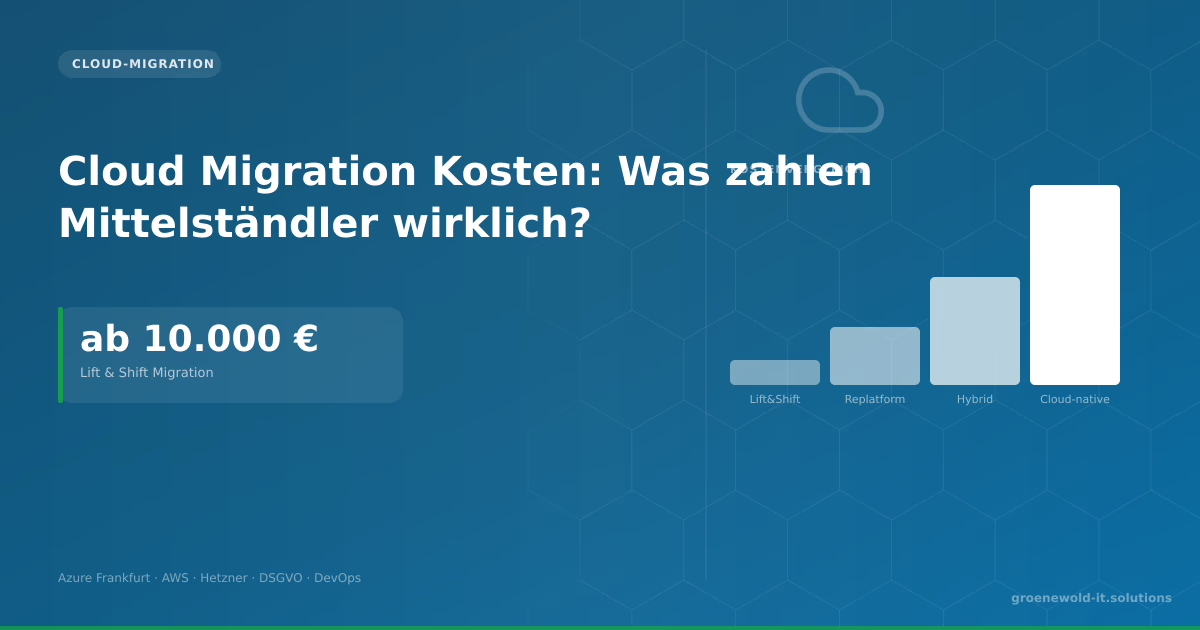
Cloud Migration Costs: What do SMEs really pay?
Cloud Migration costs €10,000 to €150,000. Lift & Shift is cheap but not optimal. This article explains the four migration approaches, running cloud costs and which provider fits German mid-sized…

Cloud Migration: Costs, Risks and Schedule
Cloud migration sounds easier than it is. Who realistically assesses costs, risks and schedules saves expensive surprises. This article shows which factors are driving the effort, which is often…
Cloud Migration Step by Step: How to Switch Without Outages
Cloud migrations rarely fail in technology – more often in lack of preparation, undocumented dependencies and lack of rollback strategy. A practical step-by-step guide that prevents failures.
Free download
Checklist: 10 questions before software development
Key points before you start: budget, timeline, and requirements.
Get the checklist in a consultationRelevant next steps
Related services & solutions
Based on this article's topic, these pages are often the most useful next steps.
Related solutions
Related comparison
Practical next steps after On-Premise vs. Cloud: Decision Guide for Mid-Sized Companies
On-Premise vs. Cloud: Decision Guide for Mid-Sized Companies addresses a practical choice for product and IT teams. Start with one clear goal: align software scope, technical risk, and business value before the next investment.
Check the current process, the data involved, and the result users need. Then record the main risks and define a small first step. This keeps the decision easy to review and gives your team a shared basis.
For implementation support, our custom software development connects the article's guidance with architecture, delivery, and stable operations. Engineering and project ownership stay with our team in Leer, Germany.
This post belongs to Cloud-Migration. Browse the related Cloud-Migration articles or use the English software blog for other topics.
When budget is the next question, the software cost calculators provide planning ranges. The IT glossary explains key terms, while in-depth technology guides cover wider decisions.
If the topic affects a live project, book a technical consultation or send the context through our project contact form. We usually reply within one working day.