As of: 26 May 2026 · Reading time: 3 min
Key takeaways
- In today's fast-paced digital world, the topicality of your software is crucial for the success of your company.
- Outdated systems can not only affect efficiency, but...
In today's fast-paced digital world, the topicality of your software is crucial for the success of your company. Outdated systems can not only affect efficiency, but...
“Good software is not an accident—it comes from a structured development process with clear quality standards.”
– Björn Groenewold, Managing Director, Groenewold IT Solutions
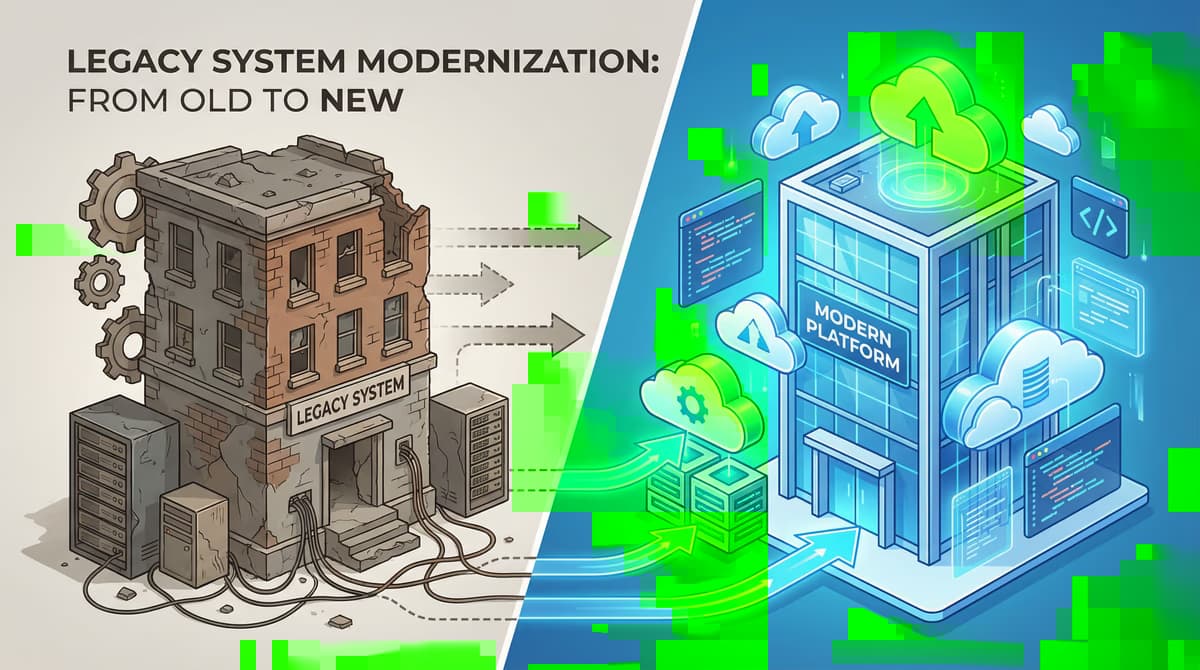
The right time to replace old software is signaled by five warning signs: escalating maintenance costs, missing expertise in the team, security vulnerabilities without available patches, poor integration capability, and negative impact on business processes.
Early planning avoids a forced switch under time pressure.
Old software: When is the right time?
Short: In today's fast-paced digital world, the topicality of your software is crucial for the success of your company.
In today's fast-paced digital world, the topicality of your software is crucial for the success of your company. Outdated systems can not only affect efficiency but also pose serious security risks.
But what do you know is that it's time to release old software? This article highlights the most important signs and gives you a decision-making aid.
Signs that your software is outdated
Short: There are clear indicators that a software has reached its end of life.
There are clear indicators that a software has reached its end of life. If you observe one or more of the following points in your company, you should think about a modernization:
- Surfy crashes and performance problems: If your employees regularly complain about system crashes, long charging times or a generally slow performance, this is a clear warning signal.
- **Comprehensible compatibility:**Old software can often be integrated with new operating systems, devices or other modern applications.
- High maintenance and support costs: The maintenance of legacy systems is becoming more and more expensive over time. Spare parts are difficult to find and specialized developers who still know with the old technology are rare and expensive.
- Miscellaneous security updates: Software that is no longer supported by the manufacturer will no longer receive security patches. This makes them a light target for cyber attacks.
- ** Limited functionality:** Software requirements change. If your old system can no longer represent new business processes or lack important functions, it will slow your growth.
- No mobile support: In a world where mobile and flexible work is done, missing support for smartphones and tablets is a considerable disadvantage.
The risks of outdated software
Short: Keeping out of date software is more than just annoying.
Keeping out of date software is more than just annoying. There are specific business risks that go far beyond the pure IT costs:
- Data loss and security injuries: Uncertified systems are a gateway for malware and hackers. The loss of sensitive customer data can lead to sensitive penalties and massive image damage.
- Productivity losses: Slow and cumbersome processes cost valuable working time and frustrate your employees.
- Competition disadvantages: While your competition is optimised by modern, agile software solutions and opens up new business areas, you remain technologically behind.
- ** Legal consequences:** Industry-specific regulations (e.g. in financial or healthcare) often require the use of certified and current software. The operation of outdated systems can lead to legal problems here.
The right time for detachment
The decision, **al
References and further reading
Short: The following independent references complement the topics in this article:
The following independent references complement the topics in this article:
About the author

Managing Director of Groenewold IT Solutions GmbH and Hyperspace GmbH
Since 2009 Björn Groenewold has been developing software solutions for the mid-market. He is Managing Director of Groenewold IT Solutions GmbH (founded 2012) and Hyperspace GmbH. As founder of Groenewold IT Solutions he has successfully supported more than 250 projects – from legacy modernisation to AI integration.
Blog recommendations
Related articles
These posts might also interest you.

Digitization in the middle class: The key trends for 2026
Digital change is no longer a distant future music for the German middle class, but a decisive factor for competitiveness. In 2026, this deco...
Digitization in the middle class: prospects for the future and how to master change
Digitization is no longer a pure topic of the future, but a decisive reality that confronts the German middle class with great challenges, but also enormous opportunities. In a...
Digital transformation: case studies from the middle class
The digital transformation is no longer an option for small and medium-sized enterprises (SMEs), but a need to compete. But what does that mean? Oftenm...
Free download
Checklist: 10 questions before software development
Key points before you start: budget, timeline, and requirements.
Get the checklist in a consultationRelevant next steps
Related services & solutions
Based on this article's topic, these pages are often the most useful next steps.
Related services
Related solutions
More on Software development and next steps
This article is in the Software development topic. In our blog overview you will find all articles; under category Software development more posts on this subject.
For topics like Software development we offer matching services – from app development and AI integration to legacy modernisation and maintenance. We describe typical use cases under solutions. Our cost calculators give initial estimates. Key terms are in the IT glossary. Books and long-form guides appear on the publications page; deeper articles live under topics.
If you have questions about this article or want a non-binding discussion about your project, you can book a consultation or reach us via contact. We usually respond within one working day.