

Software development
Digitization in the middle class: How to measure your success
Digitization is no longer a trend for medium-sized enterprises, but a need to remain competitive. But how to measure the success of Digitalisie...
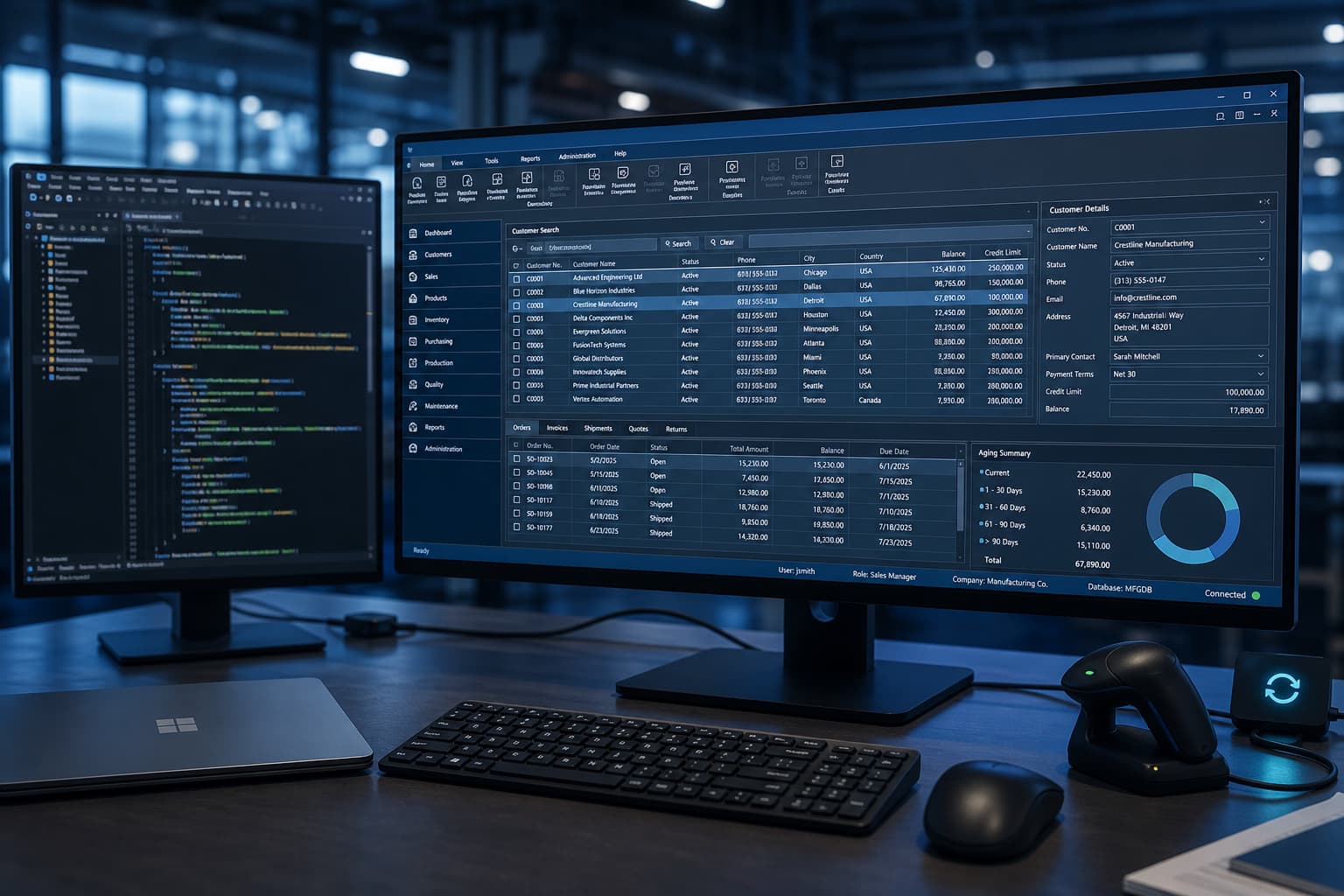
Desktop software fits when a workflow must continue without permanent connectivity, process large local datasets, or communicate directly with scanners, scales, machines and serial devices. Managed Windows workstations with fixed approvals, dense professional screens and keyboard-led operation are another strong fit.
Where location-independent collaboration and frequent releases dominate, a browser-based web application may be more economical. We assess offline needs, device access, user environment and distribution before selecting the architecture.
Consider a production inspection workflow: an operator scans a work order, the application loads master data into a local cache and receives measurements from a test device. During a network interruption, entries remain available with timestamps. Once connectivity returns, the client synchronises in a defined order and sends conflicts to a review queue instead of overwriting data.
ERP and backend remain authoritative for orders and master data. The desktop client owns device access, local work and synchronisation. Depending on the estate, we use .NET and C# engineering or take over existing Delphi applications through a documented modernisation sequence.
Delivery includes repeatable builds, code signing, MSIX or an agreed installer, and tests on the target Windows versions and reference devices. Your IT team chooses Intune, enterprise software distribution or a controlled update channel. Pilot groups reduce risk before broad rollout.
Support paths, telemetry, log access and rollback to the previous version are documented before handover. Cost depends on functionality, interfaces, offline conflicts, hardware matrix and acceptance depth—not a generic percentage of historical development spend.
Desktop software development is often the right answer when teams work without reliable connectivity, need direct hardware access, or rely on dense keyboard-driven UIs. Native Windows app development handles those needs with predictable performance, local processing, and managed rollouts on Windows environments. Where off-the-shelf products fall short, custom desktop software is scoped with clear milestones and acceptance criteria—agreed between business and IT.
International buyers often search for custom desktop application development. We deliver the same engineering quality: code reviews, repeatable builds, and documented releases. Native app development for Windows covers OS version targeting, code signing, MSIX or classic installers, and validation on reference machines. This matters when security and helpdesk teams are involved. Windows client development must respect APIs, directory services, and core systems so clients stay integrated—not isolated.
Common scenarios include line-of-business tools, shop-floor capture, and replacing ageing clients. See legacy modernisation for Windows estates and Delphi development for desktop portfolios. For budget guidance, use the software development cost overview. Groenewold IT Solutions delivers desktop software development from East Frisia—pragmatic, auditable, and focused on SMEs.
Building blocks that explain why native Windows app development remains viable beyond buzzwords.
Critical workflows without permanent connectivity—local data and clear sync rules where needed.
MSIX/installers, internal distribution, signed builds and controlled channels aligned with IT policy.
Scanners, scales, machines or serial ports—desktop scenarios where browser apps hit limits quickly.
Keyboard workflows, dense grids and specialist screens for teams who live inside one application.
Clear phases keep custom desktop software governable for leadership and IT together.
Target OS versions, hardware, offline needs, roles and interfaces to ERP, file shares or cloud services.
Layering (UI, domain, data access), encryption, logging and updateability mapped to compliance.
Development with reviews, automated tests where sensible and manual runs on reference machines.
Build pipeline, signing, packaging and documentation for helpdesk and key users.
Desktop clients often coexist with web portals and mobile apps. Identity, data ownership, and release practice must line up: who may install which version, how configuration rolls out, and how field issues reach support. We document these concerns early so handover to IT support stays smooth—a core part of Windows client development.
Local caches, logs, and storage must meet your policies—especially alongside GDPR-compliant software development. Windows client development builds these requirements into architecture and tests, not as an afterthought.
For the wider trade-offs see custom software development and our comparison when choosing between channels.
Individual desktop delivery means clear domain layers, traceable releases, and disciplined API connectivity. It is complemented by API integration for connected systems and, for large cores, enterprise software development. Desktop software development stays part of your overall architecture—not a standalone island.
Native app development for Windows covers build pipelines, signing with your certificates, MSIX or classic installers, and testing on your target Windows versions under endpoint protection. This keeps rollouts smooth and low-risk while custom desktop software continues to evolve.
Frequently asked questions
Native Windows app development pays off when users work offline, need direct hardware access, or must process large datasets locally.
Custom desktop software works well where processes are controlled, audit trails matter, and startup time counts. Production data capture and regulated workstations are typical examples. International tenders often describe this as custom desktop application development: scoped work, repeatable builds, and explicit QA.
We stay technology-neutral. Where collaboration and rapid rollout matter most, web or hybrid may fit better—we surface trade-offs early based on your constraints.
Custom desktop software effort depends on interface count, test depth, distribution complexity, and legacy baggage—not lines of code alone.
Windows client development gets more demanding with multi-tenancy, offline conflict resolution, or certification needs. Native app development for Windows also needs a clear plan for signing, packaging, and acceptance on reference images before wide rollout.
After structured discovery we propose milestones and transparent pricing. Smaller MVPs reduce risk ahead of enterprise-wide releases. For rough budgeting, start with our software development costs overview. That keeps desktop software development predictable for leadership and engineering alike.
Windows client development does not stop at the workstation.
Clients must align with identity, permissions, and data ownership. We connect via REST, gRPC, or established message buses. We respect architecture rules and avoid duplicating business logic across channels.
Custom desktop application development also means observable builds, feature flags, and telemetry so your team can diagnose field issues. Where multi-tenant core systems are involved, we align release windows with enterprise software development schedules.
The goal is never an isolated island, but a governed part of your productive landscape.
Custom desktop application development is engineering-led: code reviews, static analysis where helpful, repeatable pipelines, and test packs on reference OS images.
Native app development for Windows includes checks on target Windows versions, DPI settings, and endpoint protection—so rollout day is uneventful in a good way.
Desktop software development at Groenewold IT Solutions is delivered Made in Germany with documented releases for audit and operations. Where teams also maintain web channels, we keep domain models and contracts aligned.
That is the difference between a demo and production-grade custom desktop software.
Yes.
Instead of risky all-at-once rewrites, we modernise step by step. First we make builds shippable again, then refresh the UI and interfaces, then decouple layers where it pays off.
Native Windows app development can reuse existing domain logic instead of forcing a full technology change. Many systems run Delphi or .NET; our Delphi development and legacy modernisation services align with that roadmap.
Custom desktop software stays cost-effective while business units see steady progress instead of downtime. Contact us for a structured assessment of your legacy portfolio.

We clarify platform, interfaces and a realistic path forward—non-binding and practical.
Schedule an appointmentDesktop software (Windows, offline)—web apps: web app development.
Legacy: legacy modernization.
Service overview: Software & platforms (overview)
Desktop software with database, device and ERP connectivity. Cloud APIs: API integration.
Legacy: legacy modernization. .NET: .NET development.
Service overview: Integration & interfaces (overview)

Use our funding calculator to see which government grants may apply to your project.
Björn Groenewold – Managing Director
Service cluster
Related services for Software & platforms: choose the right delivery route
A problem-led guide to custom software, web apps, mobile apps, online shops and ERP.
Related topics
Complementary services from other areas
These services are frequently requested together with Desktop Software Development or complement it thematically.
Integration & interfaces: find the right entry point

Use our interactive calculator for a first budget indication—free and non-binding.
Thorsten Frieling – Projektmanagement
Project references
Documented examples with transparent evidence types — browse matching references or open the full case study.
On the scheduling page, pick a free slot for a 30-minute intro call about Desktop Software Development – straightforward next steps.
Free & non-binding · 30-minute intro call
Book next available slotOur topic overview links related articles and entry points alongside this service page.
Recent articles from our blog that match this service.
Digitization in the middle class: How to measure your success
Digitization is no longer a trend for medium-sized enterprises, but a need to remain competitive. But how to measure the success of Digitalisie...
Digital Transformation: Leadership and Change Management as key to success
Digital transformation is more than just the introduction of new technologies. It is a profound change process that affects companies of all sizes. Especially for small and...
Digital Transformation: The Power of Partnerships and Ecosystems
Digital transformation is no longer an option for small and medium-sized enterprises (SMEs), but a need to remain competitive. But the way to the digital future...